A Researcher's Guide to VR Hardware and Software for Behavioral and Clinical Studies
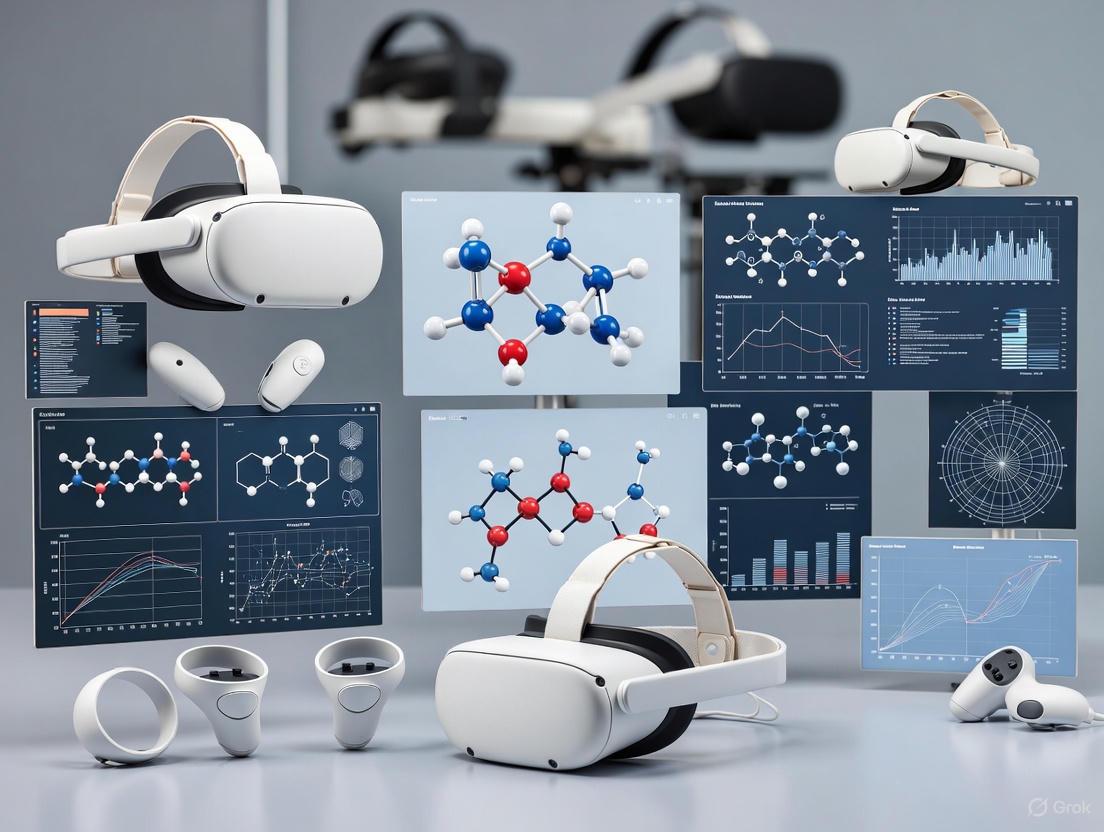
This guide provides a comprehensive framework for researchers and drug development professionals selecting virtual reality (VR) systems for behavioral research.
A Researcher's Guide to VR Hardware and Software for Behavioral and Clinical Studies
Abstract
This guide provides a comprehensive framework for researchers and drug development professionals selecting virtual reality (VR) systems for behavioral research. It covers foundational principles of immersion and presence, methodological applications across mental health and rehabilitation, strategies for troubleshooting technical and ethical challenges, and a review of validation studies. The article synthesizes current evidence to empower scientists in making informed decisions that enhance ecological validity, data capture, and the translational potential of their clinical research.
Core Principles: How VR Creates Immersive and Ecologically Valid Research Environments
For behavioral researchers, immersion and presence represent foundational psychological constructs that critically determine the validity and efficacy of virtual reality (VR) experiments. While often used interchangeably in casual discussion, these terms describe distinct yet interrelated phenomena within experimental contexts. Immersion refers to the objective technical capabilities of the VR system that create a surrounding, continuous, and vivid virtual environment. This includes display resolution, field of view, tracking accuracy, and refresh rate—all quantifiable parameters researchers can select and control. In contrast, presence constitutes the subjective psychological experience of "being there" in the virtual environment, a compelling illusion that leads participants to respond to virtual stimuli as if they were real [1].
This distinction carries profound methodological implications. A highly immersive system does not automatically guarantee that participants will experience strong presence, as this psychological state emerges from complex interactions between technical capabilities, content design, and individual participant characteristics [1]. Understanding this relationship is paramount for behavioral researchers, as presence directly mediates experimental outcomes across domains from clinical therapy to cognitive neuroscience [2] [1]. The emerging evidence suggests that presence functions not merely as a byproduct of technology but as an active cognitive process through which the brain's predictive coding mechanisms attempt to minimize discrepancies between internal models and the sensory information provided by the virtual environment [1].
Theoretical Framework: The Psychology of "Being There"
Contemporary theoretical frameworks have evolved beyond technological determinism to conceptualize presence as a multidimensional psychological experience shaped by three critical dimensions:
Content and Narrative Structure: Compelling narratives and clear goals significantly enhance presence by providing meaningful context for virtual experiences. Research demonstrates that participants report stronger presence in VR environments with emotionally engaging and coherent narratives, even when using less sophisticated display technology [1].
Individual Characteristics and Socio-Cultural Contexts: Participant traits including age, gender, personality, pre-existing expectations, and cultural background substantially influence presence susceptibility. Studies reveal significant variability in presence experiences between participants exposed to identical virtual environments [1].
Intentional Structures and Agency: The ability to enact intentions within the virtual environment and perceive expected outcomes strengthens presence. When participants can naturally interact with virtual elements and observe coherent responses, the brain's predictive coding mechanisms are reinforced, enhancing the feeling of "being there" [1].
The inner presence theory offers a particularly useful framework for researchers, positing that presence represents a fundamental human cognitive faculty for identifying which environment we inhabit to guide goal-directed action. VR doesn't create presence but rather "tricks" this existing faculty through embodied simulations that provide consistent sensory-motor correlations [1]. This perspective explains why technological immersion alone proves insufficient—successful experiments must create conditions where the virtual environment supports participants' intentions and action plans through responsive, coherent design.
Troubleshooting Guides & FAQs for VR Experiments
Technical Troubleshooting Guide
| Issue | Possible Causes | Solutions & Verification Steps |
|---|---|---|
| Poor Participant Presence Ratings | Low ecological validity, technical artifacts, narrative disconnect | Implement narrative framing pre-trial; ensure high interaction fidelity; verify frame rate >90fps; minimize latency <20ms [1] |
| High Variability in Presence Measures | Individual differences, inconsistent instructions, technical instability | Standardize pre-experiment briefing; assess participant traits (e.g., immersive tendency); control for prior VR experience; ensure consistent lighting/tracking [1] |
| Simulator Sickness Symptoms | Latency >20ms, vection conflicts, incorrect IPD setting | Verify head tracking accuracy; check IPD configuration; ensure stable 90fps; allow gradual acclimation; provide airflow; consider motion platform artifacts [3] |
| Tracking Instability | Insufficient lighting, reflective surfaces, RF interference | Ensure well-lit space without direct sunlight; cover reflective surfaces; remove potential RF sources; recalibrate tracking volume [3] |
| Visual Artifacts & Display Issues | Incorrect lens separation, rendering glitches, dirty optics | Clean lenses with microfiber cloth; verify render resolution matches display native; recalibrate eye relief; restart VR runtime services [3] |
Researcher FAQs: Optimizing Experimental Design
Q: What technical specifications most directly impact presence measurements? A: Research indicates that latency (motion-to-photon delay below 20ms), display resolution (>1080x1200 per eye), refresh rate (≥90Hz), and tracking accuracy (sub-millimeter precision) form the foundational technical requirements for inducing presence. However, these factors interact significantly with content quality and participant characteristics [1].
Q: How can we reliably measure presence in participants? A: Multimodal assessment combining subjective questionnaires (e.g., Igroup Presence Questionnaire, Slater-Usoh-Steed questionnaire) with objective behavioral measures (e.g., physiological monitoring, behavioral arousal to virtual threats, postural responses) provides the most valid measurement approach. Consistent timing of assessment relative to VR exposure is critical for reliability [1].
Q: Why do participants with identical hardware and content report dramatically different presence experiences? A: Individual differences significantly moderate presence susceptibility. Factors including age, gender, immersive tendency, prior VR experience, and even cultural background can produce varying presence responses to identical simulations. Researchers should measure and control for these variables through screening questionnaires and experimental design [1].
Q: Can presence be too strong in research contexts? A: Yes, hyper-presence can create ethical and methodological challenges, including difficulty transitioning participants back to reality, potential psychological disturbance from intense virtual experiences, and carryover effects that influence subsequent experimental tasks. Researchers should implement careful debriefing protocols and monitor participant distress, particularly in clinical populations [2] [1].
Experimental Protocols & Methodologies
Protocol: Measuring Presence in Clinical VR Interventions
Objective: Quantify presence as a potential mediator of clinical outcomes in VR-based anxiety treatment.
Materials:
- HMD with minimum 90Hz refresh rate and 6-DoF tracking
- Validated presence questionnaire (e.g., Igroup Presence Questionnaire)
- Physiological monitoring equipment (heart rate, skin conductance)
- Standardized virtual environments for exposure therapy
Procedure:
- Pre-Test Baseline: Record resting physiological measures before HMD placement
- System Calibration: Verify <20ms motion-to-photon latency using specialized tools
- Narrative Framing: Provide consistent context about virtual environment purpose
- VR Exposure: 15-minute graduated exposure session with continuous physiological recording
- Presence Assessment: Administer presence questionnaire immediately post-exposure
- Behavioral Verification: Record observable reactions to virtual stimuli (startle responses, avoidance behaviors)
- Data Integration: Correlate presence scores with physiological arousal and clinical outcomes
Validation Notes: Studies demonstrate that incorporating both subjective and objective presence measures strengthens experimental validity. Physiological arousal during virtual threat exposure correlates strongly with subjective presence ratings (r = .42-.68 across studies), suggesting convergent validity [2] [1].
Experimental Workflow for VR Research
Factors Influencing Presence in VR Research
Research Reagent Solutions & Materials
| Item | Function in VR Research | Implementation Example |
|---|---|---|
| Validated Presence Questionnaires | Standardized subjective presence measurement | Igroup Presence Questionnaire (IPQ); Slater-Usoh-Steed Questionnaire |
| Physiological Monitoring Systems | Objective presence verification through arousal measures | Heart rate variability, electrodermal activity during virtual threat exposure |
| Eye Tracking Integration | Visual attention mapping correlated with presence | Gaze pattern analysis in virtual environments |
| Motion Tracking Systems | Interaction fidelity quantification | Sub-millimeter hand tracking for natural interaction assessment |
| Narrative Framing Protocols | Standardized contextual instructions to enhance ecological validity | Pre-experiment briefing scripts establishing virtual environment purpose |
| Latency Measurement Tools | Critical technical validation for presence induction | Photodiode-based motion-to-photon delay verification |
Quantitative Data on Technical Requirements for Presence
| Parameter | Minimum Threshold | Optimal Range | Empirical Support |
|---|---|---|---|
| Motion-to-Photon Latency | <20ms | <15ms | Significant presence reduction (η² = .38) when latency exceeds 20ms [1] |
| Display Refresh Rate | 90Hz | 120Hz+ | 90Hz minimum for 76% of participants reporting absence of flicker [1] |
| Tracking Accuracy | <1mm positional error | <0.5mm positional error | Sub-millimeter accuracy required for realistic hand-object interaction [4] |
| Field of View | ≥90° diagonal | 110°-120° diagonal | Presence ratings increase 23% with FOV expansion from 90° to 110° [1] |
| Display Resolution | 1080x1200 per eye | 1440x1600+ per eye | Visual acuity >60 PPD reduces eye strain and maintains presence [4] |
Implementation in Behavioral Research Domains
Clinical Psychology Applications
VR's capacity to induce controlled presence enables transformative clinical research paradigms. Studies demonstrate that presence mediates treatment outcomes in exposure therapy for anxiety disorders, with higher presence correlating with greater physiological arousal during virtual exposure (r = .54) and better real-world transfer of therapeutic gains [2] [5]. The neurobiological mechanism appears to involve embodied simulation, where the brain generates predictive models of the virtual body and environment, creating emotional and cognitive responses comparable to real-world experiences [1].
For psychiatric research, different theoretical orientations leverage presence distinctively. Cognitive-behavioral approaches utilize presence to create controlled exposure environments that activate anxiety hierarchies while maintaining therapeutic safety [2]. Meanwhile, psychodynamic applications employ VR as a projective space where participants externalize internal conflicts and relational patterns through avatar interactions, with presence facilitating access to unconscious material [5]. In both cases, researchers must carefully calibrate presence levels to achieve experimental aims while maintaining ethical boundaries.
Emerging Research Paradigms
Current research frontiers explore how presence can be systematically modulated to enhance experimental control:
Just-in-Time Adaptive Interventions: Using digital phenotyping to detect emotional states and adjust virtual environments in real-time to optimize presence and engagement [2]
Cross-Cultural Presence Calibration: Investigating how presence manifests differently across cultural contexts and adapting virtual environments for international research [2]
Ethical Presence Frameworks: Developing guidelines for managing presence intensity in sensitive populations to prevent hyper-presence and potential psychological harm [2] [1]
These emerging approaches highlight how methodological sophistication in understanding and measuring presence continues to evolve, offering behavioral researchers increasingly powerful tools for studying human behavior in controlled yet ecologically valid virtual environments.
Technical Support Center
Troubleshooting Guides & FAQs
This technical support center addresses common hardware and software issues encountered during behavioral research experiments using Virtual Reality (VR). The guides are designed to help researchers maintain experimental control and data integrity.
Frequently Asked Questions
Q1: My VR headset display is flickering or has gone completely black. What should I do? A: This is a common display issue. Hold down the power button for 10 seconds to force a reboot of the headset. If the problem persists, check the connection cables and ensure the lenses are clean using a microfiber cloth [3].
Q2: My controller tracking is inaccurate or has been lost during an experiment. How can I fix this? A: Tracking loss is often related to environmental conditions. Ensure your lab space is well-lit (but avoid direct sunlight) and free of highly reflective surfaces, as these can interfere with the sensors. Reboot the headset and recalibrate the tracking system. For controller-specific issues, try removing and reinserting the batteries [3].
Q3: I am experiencing "simulator sickness" in my VR experiments. How can I mitigate this? A: Simulator sickness is a known challenge in VR research. To minimize its occurrence, limit VR exposure to short doses (minutes, not hours) and ensure your virtual environments are designed with user comfort in mind. This includes maintaining a high, stable frame rate and avoiding virtual camera movements that contradict the user's physical equilibrium [6].
Q4: My VR application is crashing or freezing. What are the steps to resolve this? A: First, close the application and restart it. If the issue continues, reboot the headset entirely to clear temporary glitches. As a last resort, uninstall and then reinstall the application. Contact your IT support for assistance with the reinstallation process [3].
Q5: How can I ensure my VR training data is secure for enterprise or clinical research use? A: Reputable VR training platforms follow enterprise-grade security protocols, including encrypted data storage and compliance with standards like GDPR or HIPAA. For sensitive research in fields like healthcare or defense, consider custom VR solutions designed to meet strict compliance and data security standards from the ground up [7].
Experimental Protocols & Methodologies
The following section outlines a validated framework for employing VR in behavioral research, focusing on ensuring ecological validity and experimental control.
Detailed Methodology: A Framework for VR Experimental Validity
A seminal study established a comprehensive experimental framework for using VR to assess building users' productivity, comfort, and adaptive behavior. This framework is built upon five pillars of validity [8]:
- Content Validity: The research tools (e.g., cognitive tests, questionnaires) must adequately cover the domain being studied. For example, using standardized tests like the Stroop test or OSPAN test to measure specific cognitive functions.
- Internal Validity: The experimental design must confidently establish a causal relationship. This is achieved by controlling variables—for instance, randomly assigning participants to different thermal conditions (e.g., 24°C vs. 16°C) within a virtual office to isolate the effect of temperature.
- Face Validity: The virtual environment must appear realistic and credible to the participant to ensure genuine reactions.
- Ecological Validity: The VR scenario must accurately simulate the real-world context being investigated. The framework successfully created highly immersive scenarios, as confirmed by participants reporting an excellent sense of presence and realism with non-significant levels of cybersickness.
- Criterion Validity: The VR system must be able to capture known real-world relationships. The framework demonstrated this by successfully detecting a statistically significant influence of temperature setpoints on participants' thermal comfort votes and adaptive behavior, aligning with expected outcomes [8].
Application in Affective and Social Neuroscience
VR environments provide the experimental control of a laboratory while allowing for the dynamic presentation of stimuli in ecologically valid scenarios. This is crucial for research areas that require contextually embedded stimuli to constrain participant interpretations of a target's internal states. The methodology involves [9]:
- Using immersive head-mounted displays to present digitally recreated real-world activities.
- Employing emotionally engaging background narratives to enhance affective experience and social interactions.
- Leveraging the computational capacity of VR for precise stimulus presentation, automated logging of responses, and data analytic processing. This allows for the study of neurocognitive and affective processing within simulations that approximate real-world activities and interactions [9].
Research Reagent Solutions: Essential Materials for VR Experiments
The table below details key hardware and software components essential for setting up a VR behavioral research laboratory.
Table 1: Key Research Reagent Solutions for VR Experiments
| Item Name | Function / Explanation |
|---|---|
| VR Headset (e.g., Meta Quest系列) | Primary device for immersive experience. Considerations include user accessibility, content compatibility, and scalability for research needs [10]. |
| Meta XR Interaction SDK | A software development kit that provides ready-made components for common VR interactions (e.g., grabbing, pointing, UI raycasts), streamlining development and ensuring consistent input handling [11]. |
| Horizon OS UI Set | A collection of pre-built, production-ready UI components that ensure interfaces are intuitive and consistent with the operating system, reducing development time and participant learning curves [11]. |
| Unity or Unreal Engine | Primary game engines used for building VR applications. They provide base systems for rendering, input, and UI, and support the development of complex 3D environments [11]. |
| VR Device Management Software | Centralized platform for managing multiple headsets. Enables bulk configuration, app deployment, policy enforcement, and remote troubleshooting, which is critical for maintaining consistency across a research fleet [12]. |
| Electroencephalography (EEG) | A neurophysiological measurement tool used in conjunction with VR to objectively assess brain function, emotions, and psychological responses in simulated environments, providing quantitative data on cognitive states [13]. |
Experimental Workflow Visualization
The following diagram illustrates the logical workflow for designing and implementing a VR-based behavioral study, from concept to data analysis.
Diagram 1: VR Experiment Workflow
The table below summarizes key quantitative findings from recent research on VR training efficacy and cognitive performance in simulated environments.
Table 2: Quantitative Data on VR Training Efficacy & Cognitive Performance
| Metric | Finding / Value | Context / Source |
|---|---|---|
| Engagement Rate | 75% | VR training outperforms most traditional learning methods in engaging learners [7]. |
| Knowledge Retention | 3.75x more emotionally connected | Learners are more emotionally connected to VR content than classroom learners, boosting recall [7]. |
| Error Reduction | 6x fewer errors | Medical VR trainees made significantly fewer errors compared to traditional methods [7]. |
| Confidence Increase | 275% more confident | VR learners are much more confident in applying learned skills [7]. |
| Cognitive Performance | Significantly higher | Participants in wooden interior (W) VR environments showed neural patterns linked to relaxed attentional engagement and higher cognitive performance vs. control [13]. |
| Tactical Success | 2.7x more successful | Police officers trained with VR were more successful in tactical missions than those trained traditionally [7]. |
| Market Valuation | ~USD 380.11 billion (2024) | The global virtual training and simulation market size, showing significant investment and adoption [7]. |
Troubleshooting Guides & FAQs for Behavioral Research
Frequently Asked Questions
Q1: My VR headset displays a "Tracking Lost" error during an experiment. What should I do? This is often related to the experimental environment. Ensure your play area is well-lit (but avoid direct sunlight, which can damage sensors), and remove any reflective surfaces or clutter that could interfere with the tracking cameras [14] [15]. Also, clean the headset's external cameras gently with a dry microfiber cloth, as smudges can disrupt tracking [15].
Q2: My controllers are drifting or not tracking precisely. How can I recalibrate them? First, try re-pairing the controllers via the companion mobile app (e.g., Meta Quest app: Settings > Devices > Controllers > Pair New Controller) [15]. If the issue persists, particularly with "stick drift," recalibrate the thumbsticks through the headset's settings menu (e.g., Settings > Devices > Controllers > Adjust Thumbstick) [15]. For persistent issues, replacing the controller's motherboard may be necessary [16].
Q3: The display in my headset is flickering or has gone black. A simple restart—holding down the power button for 10 seconds—can often resolve this [14]. If the problem continues, check all physical cable connections if you are using a PC-connected headset [17].
Q4: My headset won't turn on or seems unresponsive. The battery may be completely drained. Plug the headset into the charger for at least 30 minutes and then try to power it on again [14]. Also, press and hold the power button for at least 10 seconds to force a reboot [14].
Q5: I am using external Vive Trackers, and their position is inaccurate or mirrored. This can be a complex issue. A common solution is to ensure the USB dongles for the trackers are spaced apart from each other and away from your PC, as USB 3.0 ports can cause wireless interference with the 2.4GHz signal [18]. Using a powered USB hub with Multi-Transaction Translator (MTT) capability can also improve stability [18].
Troubleshooting Common Hardware Issues
The table below summarizes common hardware problems and their solutions to help maintain the integrity of your research sessions.
| Component | Common Issue | Troubleshooting Steps | Preventive Tips for Research |
|---|---|---|---|
| Headset Tracking | "Tracking Lost" warning; jittery or laggy display [15]. | 1. Restart headset [15].2. Ensure adequate, non-direct lighting [14].3. Clear Guardian history and redraw play area [15].4. Clean external cameras [15]. | Standardize lighting conditions in the lab. Avoid sessions near windows. |
| Controllers | Drifting; failure to connect; inaccurate tracking [14] [15]. | 1. Replace batteries [14].2. Re-pair controllers via app [15].3. Recalibrate thumbsticks in settings [15]. | Keep spare, fresh batteries on hand. Check calibration at the start of each data collection day. |
| Display | Screen is flickering, black, or blurry [14]. | 1. Force restart the headset [14].2. Check and secure all cable connections (for PCVR) [17].3. Adjust headset position and clean lenses with microfiber cloth [14]. | Provide participants with a clean microfiber cloth to handle the headset. |
| External Sensors/Trackers | Trackers show mirrored or translated positions; unstable tracking [18]. | 1. Space out wireless dongles [18].2. Use a high-quality USB hub (MTT-capable) [18].3. Re-run room-scale calibration software [18]. | Dedicate a setup and avoid changing the tracker configuration between studies for consistency. |
| Headset Power | Device won't turn on; no response [14]. | 1. Charge for >30 minutes, then retry [14].2. Hold power button for 10+ seconds [14].3. Try a different power outlet/cable [14]. | Establish a charging protocol for equipment after each use. |
Experimental Protocol: Systematic Troubleshooting for Research Sessions
To ensure data integrity and participant safety, follow this standardized workflow when encountering hardware issues during an experiment.
For researchers designing VR-based behavioral studies, reliability of hardware is paramount. The following table outlines key components and resources for maintaining your research toolkit.
| Item / Resource | Function / Description | Relevance to Behavioral Research |
|---|---|---|
| Microfiber Cloths | For cleaning headset lenses and external tracking cameras without scratching [14] [15]. | Maintains display clarity and tracking accuracy for consistent visual stimulus presentation and motion capture. |
| Spare Controller Batteries | Immediate replacement for wireless controllers during long testing sessions [14]. | Prevents data loss and session interruption due to power failure in controllers. |
| Powered USB Hub (MTT-capable) | Connects multiple wireless tracker dongles while minimizing signal interference [18]. | Critical for full-body motion tracking studies; improves data quality and reliability from devices like Vive Trackers. |
| VR Cover / Facial Interface | Replaceable foam and silicone pads that contact the face [16]. | Enhances hygiene between participants; different sizes can improve comfort and fit, reducing variability in headset positioning. |
| Factory Reset Guide | Process to restore headset to original settings, erasing all data [15] [19]. | A last-resort protocol for unresolvable software glitches. Warning: Will erase local data. |
| Professional Repair Service | Specialized services for physical damage (e.g., cracked shells, faulty components) [16]. | Provides an option for hardware repair beyond manufacturer warranty, especially for damage not covered by standard terms [20]. |
This technical support center provides troubleshooting guides and FAQs to help researchers address common hardware and software issues in VR-based clinical and behavioral studies.
Troubleshooting common VR hardware & software issues
Basic hardware and setup problems
| Issue | Possible Cause | Troubleshooting Steps |
|---|---|---|
| Headset Won't Power On [3] | Depleted battery; faulty power button. | Charge headset for at least 30 minutes; press and hold power button for 10 seconds. [3] |
| Display is Black [21] | Blocked proximity sensor; deeply discharged battery; software glitch. | Ensure sensor is clean; perform a hard reboot (hold Power + Volume Down); ensure full charge. [21] |
| Blurry or Unfocused Display [3] | Incorrect lens spacing; dirty lenses. | Adjust lens distance (interpupillary distance); clean lenses with a microfiber cloth. [3] |
| Controllers Not Tracking [3] | Low battery; poor connection; reflective surfaces. | Replace batteries; re-pair controllers via app; move to a well-lit area without reflective surfaces. [3] |
| Tracking Lost Warning [3] | Poor lighting; reflective surfaces; obstructed cameras. | Ensure adequate, indirect lighting; remove reflective objects; clear the play area of obstructions. [3] |
| No Sound or Distorted Audio [3] | Incorrect volume settings; connected Bluetooth device; software error. | Check headset volume settings; disconnect Bluetooth audio devices; reboot the headset. [3] |
Software and application errors
| Issue | Possible Cause | Troubleshooting Steps |
|---|---|---|
| App Crashes or Freezes [3] | Corrupted temporary data; software conflict. | Force-close and restart the application; reboot the headset; reinstall the application. [3] |
| Guardian Boundary Not Persistent [3] | Changing lighting conditions; objects near boundary. | Set up a new Guardian boundary; ensure consistent, adequate lighting. [3] |
| Headset Won't Update [3] | Unstable internet; insufficient storage. | Check Wi-Fi connection and stability; free up storage space on the device. [3] |
| SteamVR Errors (301, 306, 307, 308) [22] | Corrupted installation paths; conflicting software. | Run vrpathreg tool to fix paths; uninstall conflicting software (e.g., Razer Synapse, Avast). [22] |
Frequently asked questions (FAQs)
VR selection and study design
What are the primary methodological considerations for designing a VR clinical trial?
A robust framework for VR clinical trials can be structured in three phases [23]:
- VR1 Studies: Focus on content development using human-centered design principles, involving patient and provider end-users to ensure relevance and usability.
- VR2 Studies: Initial feasibility and efficacy testing, focusing on tolerability, acceptability, and initial estimates of clinical effect.
- VR3 Studies: Randomized Controlled Trials (RCTs) that compare the VR intervention against a control condition to establish efficacy for clinically important outcomes.
For which clinical endpoints is VR most ready for use in 2025?
VR is particularly well-suited for standardizing task-based endpoints. The following table summarizes the readiness level for various use cases [24]:
| Use Case / Endpoint | Primary Value | Validation Risk | Key Captured Signals |
|---|---|---|---|
| Neurocognitive Batteries | Test standardization; repeatability | Moderate | Latency, accuracy, dwell, error types |
| Motor Function Tasks | Fine-motor precision; tremor grading | Moderate | Pose, tremor amplitude, path deviation |
| Rehabilitation Adherence | Technique fidelity; dose tracking | Moderate | Pose score, rep counts, range of motion |
| Instruction-Critical Devices | Error reduction; timing control | Moderate | Angle, duration, step order |
| VR eConsent | Understanding ↑; re-consent speed ↑ | Low | Quiz scores, gaze, dwell on risks |
| Exposure Therapy Adjuncts | Dose-controlled exposure | High | Heart rate surrogate, gaze, task persistence |
| Pain Modulation Tasks | Analgesic sparing endpoints | High | ePRO pain, session logs |
How can I mitigate risks related to data privacy and participant safety?
- Data Privacy: Prefer using derived features (e.g., pose scores, completion time) over raw video or sensor data to minimize privacy concerns. If raw data is essential, obtain explicit consent and use on-device redaction techniques. [24]
- Participant Safety: For tasks with non-trivial risk (e.g., balance/vestibular tasks), embed tele-supervised windows. Implement a one-tap emergency mode with clear escalation protocols. [24]
Technical and data integrity issues
How can I ensure consistent data quality across all study participants and sites?
- Standardize Hardware and Software: Freeze headset models, tracking modes, and firmware versions per site. Treat software updates as controlled amendments. [24]
- Control the Environment: Protocol should set minimums for lighting, tracking confidence, and room-scale boundaries. Enforce pose calibration at the start of every session. [24]
- Manage Missing Data: Track session adherence, completion percentage, and retry counts as key performance indicators. Use statistical models (e.g., pattern-mixture models) if data is missing not at random (MNAR). [24]
What are the common pitfalls that can compromise VR study data?
Key pitfalls include [24]:
- Unfrozen firmware or tracking mode changes mid-study.
- Significant learning effects in cognitive tasks.
- Poorly managed participant motion-sickness.
- Inadequate provisioning for participants who cannot "bring your own device" (BYOD), leading to equity issues.
The scientist's toolkit: Essential research reagents and materials
This table details key components of a VR research setup for clinical and behavioral studies.
| Item / Solution | Function in VR Research |
|---|---|
| Head-Mounted Display (HMD) | The primary VR hardware; creates an immersive, head-tracked visual and auditory experience. [23] |
| Inside-Out Tracking System | Allows the HMD and controllers to track their position in space without external sensors, using built-in cameras. [24] |
| VR-Capable Workstation | A high-performance computer for rendering complex virtual environments; crucial for PC-connected VR systems. |
| Bio-Sensing Add-ons | Devices (EEG, ECG, EDA) to capture physiological data (brain activity, heart rate, arousal) synchronized with VR tasks. [25] |
| Haptic Feedback Controllers | Provide tactile sensation and force feedback to enhance realism and measure motor interactions. |
| Eye-Tracking Module | Integrated into some HMDs to measure gaze, dwell time, and pupillometry as behavioral metrics. [24] |
| Virtual Human (VH) Libraries | Software tools and asset libraries for populating environments with virtual agents or avatars for social stimuli. [26] |
| Data Logging Software (SDK) | Software development kits to custom-record timestamped data on user actions, positions, and task performance. [24] |
Experimental workflow and decision pathway
This diagram outlines the key stages of the experimental workflow for a VR clinical study, from definition to dissemination.
VR study implementation checklist
This checklist provides a high-level overview of critical actions for implementing a VR clinical study.
- Protocol Finalization: Clearly define primary and secondary endpoints, specifying the exact VR-derived signals (e.g., pose score, latency). [24]
- Hardware & Software Standardization: Freeze and document headset models, tracking modes, firmware versions, and application builds across all sites. [24]
- Data Management Plan: Establish protocols for data logging, transfer, storage, and privacy, prioritizing derived features over raw data where possible. [24]
- Safety & Monitoring Protocols: Define participant safety procedures, including motion-sickness rescue paths and tele-supervision plans for higher-risk tasks. [24]
- Operator Training: Standardize training for research staff across sites to ensure consistent device setup, participant instruction, and data collection. [24]
- Pilot Testing (VR2): Conduct a feasibility study to confirm tolerability, adherence, and data quality before proceeding to a full-scale trial. [23]
From Lab to Clinic: Implementing VR Protocols in Behavioral and Biomedical Research
Technical Support Center: FAQs & Troubleshooting Guides
This technical support center provides essential guidance for researchers utilizing Virtual Reality (VR) in behavioral studies concerning phobias, PTSD, and addiction. It addresses common technical challenges and outlines foundational experimental methodologies to support robust research design.
Frequently Asked Questions (FAQs)
Q1: What are the primary types of VR technology used in clinical behavioral research? VR systems are categorized by their level of immersion, which influences their application in research settings [27]:
- Non-immersive VR: Presented on a standard flat-screen monitor, similar to a computer game. This is useful for scenarios where complete perceptual control is not critical.
- Immersive VR: Typically delivered via Head-Mounted Displays (HMDs) that occlude the outside world. This is the preferred format for controlled stimulus presentation, such as exposure therapy or cognitive assessment, as it creates a compelling illusion of being present in the virtual environment [27].
- Projection-Based Systems: Less common due to cost and complexity, these systems (like CAVEs) use stereoscopic projection screens arrayed around the user [27].
Q2: Our VR equipment won't turn on. What are the initial diagnostic steps? Follow this basic troubleshooting sequence [3]:
- Check Battery: Plug the headset into a charger for at least 30 minutes, then try again.
- Force Reboot: Press and hold the power button for at least 10 seconds.
- Inspect Hardware: Try a different power cable and outlet. Check for any indicator lights.
Q3: How do we resolve tracking issues with controllers or the headset? Tracking errors are often related to the physical environment. Ensure your lab space is [3]:
- Well-lit (but avoid direct sunlight on the sensors).
- Free of highly reflective surfaces (e.g., mirrors, glass).
- Clear of obstructions in the designated play area.
- Reboot the headset and re-calibrate the tracking system if problems persist.
Q4: The display in the headset is blurry or flickering. What can be done? This is a common issue that can often be resolved by [3]:
- Adjust the Lenses: Physically move the lenses left or right to find the sweet spot for your eyes.
- Clean the Lenses: Use a microfiber cloth to clean the lenses gently.
- Restart the Headset: A simple reboot can clear temporary graphical glitches.
Q5: An application frequently crashes or freezes during experiments. How can we stabilize it? Application instability can compromise data integrity. Take these steps [3]:
- Restart the Application: Close and reopen the software.
- Reboot the Headset: This clears temporary system glitches.
- Reinstall the App: If the problem continues, uninstall and then reinstall the application.
- Check Storage: Ensure the headset has sufficient free storage space, which is critical for application performance and updates [3].
Experimental Protocols for Key Application Areas
The table below summarizes core methodologies for applying VR in phobias, PTSD, and addiction research, drawing from evidence-based practices.
Table 1: Experimental Protocols for VR Applications in Behavioral Research
| Condition | Primary VR Modality | Key Therapeutic Mechanism | Research Protocol & Methodology |
|---|---|---|---|
| Phobias & PTSD [28] [27] | Immersive VR Exposure Therapy | Systematic Desensitization: Controlled, gradual exposure to feared stimuli (e.g., heights, combat scenarios, spiders) in a safe environment. | 1. Baseline Assessment: Measure anxiety levels pre-exposure.2. Graduated Exposure: Introduce patients to a hierarchy of fear-inducing virtual stimuli, starting with the least anxiety-provoking.3. Subjective Units of Distress (SUDs): Have patients regularly self-report distress levels.4. Habituation: Continue exposure until SUDs decrease significantly.5. Post-Session Assessment: Re-evaluate anxiety and physiological markers. |
| Addiction (Substance Use Disorders) [29] [30] [31] | VR-Cue Exposure Therapy (VR-CET) & Cognitive Behavioral Therapy (CBT) | Cue Reactivity & Extinction: Exposure to personalized, substance-related cues (e.g., virtual bars, drugs) to trigger and subsequently manage cravings. Recovery Cues: Use of positive, personalized stimuli (e.g., a 12-step chip, images of loved ones) to counter craving escalation. | 1. Craving Baseline: Establish baseline craving levels in a neutral environment.2. Trigger Exposure: Expose participants to validated, personalized substance cues in VR.3. Craving Induction & Measurement: Monitor self-reported craving and physiological responses (e.g., heart rate).4. Intervention Delivery: Deploy coping strategies (e.g., CBT techniques) or "recovery cues" during peak craving.5. Extinction Training: Repeat exposure until craving response diminishes. |
| Pain Management & Distraction [28] | Immersive VR Distraction | Sensory Competition & Attention Redirection: Occupying cognitive and perceptual channels with engaging virtual content to block pain perception. | 1. Pre-VR Pain Assessment: Record patient's pain level before the procedure.2. Immersive Environment Deployment: Engage the patient in a highly interactive and attention-capturing VR game or environment during the painful medical procedure.3. Continuous Monitoring: Track patient engagement and presence within the VR environment.4. Post-VR Pain Assessment: Measure pain levels immediately after the VR session concludes. |
Experimental Workflow Visualization
The following diagram illustrates a generalized workflow for a VR-based intervention study, such as those used in addiction or exposure therapy research.
The Scientist's Toolkit: Essential Research Reagents & Materials
This table details key components for building a VR research pipeline for behavioral studies.
Table 2: Essential Research Reagents & Solutions for VR Behavioral Research
| Item Category | Specific Examples | Function in Research |
|---|---|---|
| VR Hardware Platforms | Oculus Rift, HTC Vive, Standalone HMDs (e.g., Oculus Quest) [28] | Stimulus Delivery: The primary device for presenting immersive 3D computer-generated environments. Standalone HMDs increase accessibility for home-based studies. |
| Software & Content | Custom-built virtual environments (e.g., Unreal Engine, Unity), 360-degree videos, commercially available therapeutic applications [28] | Experimental Manipulation: Creates the specific contexts, cues, and interactions required for the study (e.g., a virtual bar for alcohol cue exposure). |
| Physiological Data Acquisition Systems | Biopac Systems, ADInstruments, wearable heart rate monitors (EKG/ECG), galvanic skin response (GSR) sensors [31] | Objective Outcome Measurement: Provides quantifiable, physiological data on participant arousal, stress, and emotional reactivity during VR exposure. |
| Validated Psychometric Scales | Craving Questionnaires (e.g., VAS), Subjective Units of Distress Scale (SUDS), PTSD Checklist (PCL-5), Beck Anxiety Inventory (BAI) [30] | Subjective Outcome Measurement: Standardized tools for collecting self-reported data on cravings, anxiety, and other clinical symptoms before, during, and after VR sessions. |
| "Recovery Cue" Assets | Custom 3D models (e.g., 12-step chip), personalized audio affirmations, images of supportive people or pets [29] | Active Intervention Component: Positive, personalized stimuli used as counter-measures to substance cravings in addiction research protocols. |
FAQs and Troubleshooting Guides
General Hardware Integration
Q: What is the most recommended VR headset for research requiring integrated eye tracking in 2025?
A: The HTC Vive Focus Vision is highly recommended for researchers looking to leverage eye tracking metrics. Released in late 2024, it features integrated eye tracking with a 120 Hz refresh rate and offers optional add-ons for face tracking. Its base unit cost of $999 makes it a cost-effective solution for labs, providing a significant jump in resolution compared to previous models like the discontinued Meta Quest Pro [32].
Q: Our study requires the highest-fidelity visual and eye-tracking data, regardless of cost. What headset should we consider?
A: For top-of-the-line, enterprise-grade hardware, the Varjo XR-4 is the best choice. It offers superior resolution (up to 3840 x 3744 pixels per eye), 200 Hz eye tracking, and high-quality pass-through cameras for mixed reality. However, it comes at a significant cost (starting around $6,000) and requires more powerful computing hardware and expertise to operate compared to consumer headsets [32].
Q: How can I troubleshoot a sudden loss of eye tracking in my HTC Vive headset?
A: If you encounter a sudden loss of eye tracking, error messages, or an inability to run the calibration tool, follow these steps [33]:
- From your computer's system tray, right-click the
SR_Runtimetray icon and select Quit. - Turn off the headset using the button on the link box.
- Wait at least five seconds, then turn the headset back on.
- Restart the
SR_Runtimesoftware on your computer. Always ensure the eye-tracking software has been installed correctly.
Q: What are the critical factors when selecting a VR headset for academic research?
A: Beyond cost, key factors include [34]:
- Degrees of Freedom (DOF): 6DOF is essential if you want participants to move and interact fully in the 3D space, rather than just observe.
- Field of View (FOV): A higher FOV (e.g., 120 degrees) doesn't always mean a better experience; it can make objects appear smaller. The optimal FOV depends on your study's specific visual requirements.
- Tracking Type: Standalone headsets (like the Quest 3) offer wireless freedom, while tethered headsets (like the Varjo XR-4) often provide higher performance for complex simulations.
Experimental Protocols and Data Collection
Q: What is a key health consideration when designing VR experiments with prolonged exposure?
A: Visual fatigue and eye strain are significant concerns with prolonged VR use. Many studies have shown the occurrence of eye disorders linked to extended exposure. This is especially critical for studies involving children, for whom usage should be limited. Other considerations include motion sickness and the potential for psychological effects like social isolation or perception disorders [35].
Q: How can I add a sense of touch to my virtual environment to increase realism?
A: The integration of haptic feedback technology is a major trend. Haptic gloves, suits, and full-body rigs are becoming more affordable, allowing users to feel touch, pressure, and movement within virtual environments. This multi-sensory technology adds a critical layer of realism and engagement, particularly valuable in training, healthcare, and gaming research [36].
Hardware Selection and Quantitative Data
VR Headset Comparison for Research
The table below summarizes key specifications of prominent VR headsets suitable for data-rich research as of 2025 [32].
| Headset Model | Key Research Feature(s) | Resolution (per eye) | Field of View (FOV) | Approximate Cost (USD) |
|---|---|---|---|---|
| HTC Vive Focus Vision | Integrated 120 Hz eye tracking; optional face & body tracking | 2448 x 2448 | 120° | $999 (Consumer) - $1299 (Business) |
| Meta Quest 3 | Cost-effective; excellent color pass-through AR | 2064 x 2208 | 110° | $500 - $650 |
| Varjo XR-4 | Best-in-class resolution & 200 Hz eye tracking; LiDAR | 3840 x 3744 | 120° x 105° | ~$6,000 and up |
| HTC Vive Pro 2 | Best for full-body tracking (with base stations & trackers) | 2448 x 2448 | 120° | $1,399 (Full Kit) |
| Pimax Crystal | High refresh rate; QLED displays; eye tracking | 2880 x 2880 | 130° | $1,599 |
The Researcher's Toolkit: Essential Hardware and Software
This table details key components for building a VR lab capable of multi-modal data collection [32].
| Item Category | Specific Examples | Function in Research |
|---|---|---|
| Primary VR Display | HTC Vive Focus Vision, Varjo XR-4 | Presents the immersive virtual environment; integrated sensors (e.g., eye trackers) serve as primary data collection units. |
| Rendering Computer | PC with NVIDIA GeForce RTX 5090, 4080, or 4070 GPU; Intel Core i7/i9 CPU | Renders high-fidelity, complex virtual worlds in real-time without latency, which is critical for maintaining immersion and preventing motion sickness. |
| Motion Tracking | HTC Vive Tracker 3.0 with Base Station 2.0 | Provides precise full-body tracking for studying movement, gait, and embodied interaction in virtual spaces. |
| Biofeedback Sensors | EEG Headsets, Galvanic Skin Response (GSR) Sensors | Captures physiological responses (brain activity, arousal) to virtual stimuli, enriching behavioral data with objective biometrics. |
| VR Software Suite | Vizard VR Development, SightLab VR Pro | Provides the platform for building, rendering, and running experiments, often including built-in support for data stream integration and analysis. |
Experimental Workflow and Signaling Pathways
Diagram: Multi-Modal Data Acquisition Workflow
The diagram below visualizes the typical workflow and logical relationships for synchronizing data streams in a VR experiment integrating eye-tracking, EEG, and biofeedback.
Diagram: VR Hardware Ecosystem for Research
This diagram illustrates the logical relationships between core hardware components in a sophisticated VR research lab.
Technical Support Center: Troubleshooting & FAQs
This section provides technical support for researchers implementing the Impact VR program, a virtual reality intervention designed for youth with conduct disorder.
Frequently Asked Questions (FAQs)
What is the therapeutic target of the Impact VR program? Impact VR is designed to address the underlying factors driving behaviors in conduct disorder, such as difficulty understanding emotional cues, interpreting social situations, and building empathy, rather than just targeting the symptoms of aggression or disobedience [37] [38].
What is the recommended dosage and session structure? The clinical trial for Impact VR involved participants completing four weekly sessions, each lasting 25 minutes [37] [38].
What hardware is required to deploy this intervention? The program runs on commercially available VR headsets without requiring specialized staff or IT infrastructure, making it suitable for schools, clinics, and juvenile justice systems [37]. Generally, VR training solutions are compatible with major hardware suppliers like Meta, Pico, and HTC [39].
How does the program sustain user engagement? The program was co-designed with an advisory group of youth with conduct disorder to ensure the scenarios and dialogue were engaging and relevant. The intervention uses gamified tasks and interactive stories that mimic real-world social situations [37].
What evidence supports the efficacy of Impact VR? A randomized controlled study with 110 participants aged 10-17 showed that caregivers of youth who completed the program reported immediate reductions in conduct problems, callous-unemotional traits, and reactive aggression. These improvements were sustained at a three-month follow-up [37].
Troubleshooting Guides
Problem: VR headset displays a black screen or shows a "headset not connected" error.
- Why this happens: This often indicates a loss of power or data connection between the headset and the computer [40].
- Solution:
- Locate the link box (a small black box connecting the headset cables to the computer) [40].
- Press the blue button on the link box to power it off [40].
- Wait 3 seconds, then press the blue button again to power it back on. A green light should indicate it is on [40].
- Check the headset status in the SteamVR or Vive Console application; it should now be tracked [40].
Problem: Controllers are not tracking or the connection is unstable.
- Why this happens: Controllers may lose pairing or have a weak connection [40].
- Solution:
Problem: The desktop or headset is unresponsive upon starting the station.
- Why this happens: The computer may be in sleep mode or powered off [40].
- Solution:
- Turn on the desktop computer by pressing the power button on the tower [40].
- Ensure the monitor is on and log into the desktop [40].
- Open the SteamVR application using the desktop shortcut [40].
- Turn on the controllers by pressing the Vive button [40].
- Launch the Vive Console. The system should now be ready [40].
Experimental Protocol & Research Framework
This section details the methodology from the featured clinical trial to serve as a reference for research replication and validation.
The following table summarizes the key findings from the randomized controlled trial of the Impact VR program, as reported by caregivers and youth.
| Outcome Measure | Reported By | Result at Post-Intervention | Result at 3-Month Follow-up |
|---|---|---|---|
| Conduct Problems | Caregivers | Immediate reductions [37] | Sustained reductions [37] |
| Callous-Unemotional Traits | Caregivers | Immediate reductions [37] | Sustained reductions [37] |
| Reactive Aggression | Caregivers | Immediate reductions [37] | Sustained reductions [37] |
| Conduct Disorder-related Behaviors | Youth | Self-reported reductions [37] | Information missing from search results |
Detailed Experimental Methodology
- Study Design: The study was a randomized controlled trial involving 110 participants aged 10 to 17 with a diagnosis of conduct disorder [37].
- Intervention Group: Participants in this group received the Impact VR program over four weekly sessions, each lasting 25 minutes [37].
- Control Group: Participants were randomly assigned to a control condition that completed a single 25-minute emotion recognition training session [37].
- Data Collection: Assessments were conducted at three points: baseline, immediately post-intervention, and at a three-month follow-up. Data sources included surveys and clinical interviews with both the youth participants and their caregivers [37].
Experimental Workflow
The diagram below illustrates the sequential workflow of the Impact VR clinical trial.
The Researcher's Toolkit
This section provides a curated list of essential components for building and deploying a VR-based social-emotional learning intervention for clinical research.
Key Research Reagent Solutions
| Item | Function in Research |
|---|---|
| VR Headset (Standalone) | Provides the immersive visual and auditory interface for the intervention. Commercial standalone headsets (e.g., Meta Quest, Pico) enable scalable deployment in schools and clinics without powerful computers [37] [39]. |
| Impact VR Software | The specific intervention application containing gamified tasks and interactive social scenarios designed to train emotion recognition and empathy [37]. |
| Mobile Device Management (MDM) System | Software platform for deploying the VR application, managing headset fleets, and controlling user access across research settings [39]. |
| Data Portal / LMS | A platform (like the mentioned Vision Portal) for tracking participant usage, collecting performance metrics within the VR environment, and integrating data with existing research systems [39]. |
| Validated Clinical Assessments | Standardized surveys and clinical interviews (e.g., on conduct problems, aggression, callous-unemotional traits) used as primary outcome measures at baseline, post-intervention, and follow-ups [37]. |
Technical Support & Troubleshooting Hub
This guide provides technical support for researchers employing AI-personalized Virtual Reality (VR) scenarios in behavioral and drug development research. It addresses common hardware and software issues to ensure data collection integrity and experimental continuity.
Frequently Asked Questions (FAQ)
Q1: Our VR headset display is flickering or has gone black during a critical experimental session. What are the immediate steps to resolve this? A: A flickering or black screen can often be resolved by performing a forced reboot. Press and hold the power button for 10 seconds to restart the headset [41]. Ensure the headset has been charged for at least 30 minutes prior to the session to rule out power issues [41].
Q2: How can we minimize motion sickness in participants, which is skewing our physiological data? A: Motion sickness is a common challenge. To minimize it, design scenarios to avoid rapid, unexpected movements and ensure smooth visual transitions [42]. Provide users with control over their navigation and use stable visual cues within the virtual environment to reduce discomfort [42].
Q3: The VR controllers are not tracking participant movements accurately. How can we re-establish reliable tracking? A: First, remove and reinsert the controller batteries, as low power can impair tracking [41]. If the issue persists, re-pair the controllers via the headset's companion application (e.g., Oculus app: Settings > Devices) [41]. Also, ensure the research environment is well-lit without direct sunlight and free of reflective surfaces that can interfere with the tracking system [41].
Q4: Our customized AI-personalized scenario fails to load or crashes repeatedly. What basic troubleshooting should we perform? A: Begin by closing the application and restarting the headset to clear temporary glitches [41]. If the problem continues, uninstall and then reinstall the application. For custom research software, ensure all runtime dependencies and driver versions are compatible with your VR hardware and operating system. Contact your institution's IT support for assistance with application reinstallation [41].
Q5: A factory reset seems necessary. What is the process and what data will be lost? A: A factory reset erases all user data, installed applications, and settings on the device [43].
- Process for Meta Quest 2: Power off the headset. Press and hold the Power and Volume Down buttons simultaneously until the boot screen appears. Use the Volume Down button to navigate to
Factory Resetand press the Power button to select. Confirm by selectingYes, Erase and Factory Reset[43]. - Critical Precaution: Before resetting, back up all experimental data and ensure you have access to re-download and re-install any proprietary research software [43].
Essential Research Reagent Solutions
The table below details key hardware and software components for deploying AI-personalized VR in research settings.
| Research Reagent / Solution | Function in Experiment |
|---|---|
| VR Headset with Sensors | Primary hardware for delivering immersive stimuli; integrated sensors enable digital phenotyping (e.g., tracking sleep, activity) [2]. |
| Biofeedback Sensors (e.g., HR, SKT) | Monitor physiological arousal during virtual exposures; provides objective data on participant state for AI adaptation [44]. |
| AI-Personalization Software | Algorithmically tailors virtual scenarios in real-time based on participant performance and biofeedback [2]. |
| Digital Phenotyping Pipeline | Software that processes smartphone or sensor data into behavioral metrics for baseline profiling and outcome measurement [2]. |
| Virtual Reality Cognitive Behavioral Therapy (VR-CBT) Software | Provides a structured, evidence-based framework for exposure therapies and behavioral experiments within virtual environments [2] [45]. |
Experimental Protocol: Implementing a VR-Assisted Intervention
The following workflow details a methodology for a randomized controlled trial (RCT) comparing VR-assisted therapy to an active control, based on established protocols [45].
Quantitative Evidence for VR Interventions
Evidence from clinical studies supports the efficacy of VR-based interventions. The table below summarizes key quantitative outcomes.
| Study Focus / Intervention | Key Quantitative Outcome | Experimental Context & Measurement |
|---|---|---|
| VR for Performance Anxiety | Significant reduction in State-Trait Anxiety Inventory (STAI) scores [45]. | RCT comparing VR-CBT to yoga; STAI-Y1/Y2 subscales used as primary outcome measures [45]. |
| VR for Fear of Flying | Weaker physiological reactions (e.g., heart rate) during exposure; ability to fly maintained at 3-year follow-up [44]. | Randomized controlled clinical trial with physiological monitoring and long-term follow-up [44]. |
| VR in Addiction Recovery | 18 of 21 (86%) participants remained abstinent 30 days post-intervention; doubled ability to delay rewards [44]. | Pilot study using VR to project future selves, with abstinence verified at 30-day follow-up [44]. |
| VR for Anorexia Nervosa | Addresses core fear of weight gain in a condition where best traditional treatment response rates are ~50% [44]. | Clinical research developing VR exposure therapy to target a specific, treatment-resistant symptom [44]. |
AI-Driven Scenario Personalization Workflow
The following diagram illustrates the closed-loop system for tailoring virtual scenarios using AI and real-time data, a cornerstone of modern digital mental health research [2].
Navigating Practical Challenges: Cost, Cybersickness, and Data Management
Technical Support Center
Troubleshooting Guides
Q1: How can I resolve blurry visuals that are interfering with data collection in my VR experiments?
Blurry visuals can compromise the validity of your research data by reducing ecological validity and user engagement.
- Cause: Incorrect interpupillary distance (IPD) setting, dirty lenses, or an improperly fitted headset.
- Solution:
- Adjust IPD: Use the physical slider or software setting on your headset to match the distance between the user's pupils. A correct IPD is crucial for visual clarity and depth perception [46].
- Clean Lenses: Gently wipe the lenses with a dry microfiber cloth. Avoid using liquid cleaners or rough materials that can damage anti-reflective coatings [46].
- Improve Fit and Balance: Ensure the headset is snug but comfortable. A balanced strap, potentially with a rear-mounted battery, can prevent the front-heavy headset from sliding down and moving out of the "sweet spot" [46].
Q2: What protocols can I implement to mitigate VR-induced motion sickness in study participants?
Motion sickness, or cybersickness, occurs due to a sensory conflict between the visual system and the vestibular system. It can lead to participant dropout and invalid data.
- Cause: A disconnect between perceived motion in the virtual world and the lack of physical motion.
- Solution:
- Use Teleportation Movement: Instead of smooth, continuous locomotion, implement a teleportation mechanic for moving between points in the virtual environment. This significantly reduces the sensory conflict [46].
- Leverage High Refresh Rates: Ensure your rendering computer and headset are configured to run at a high refresh rate (90 Hz or above). Smoother motion can reduce feelings of nausea [46].
- Provide Sensory Grounding: Use a fan to blow air on the participant. This provides a stable, real-world tactile reference that can help alleviate disorientation [46].
- Limit Session Length: Start with short exposure times and gradually increase duration across sessions to help participants build tolerance [46].
Q3: Why are my VR controllers losing tracking, and how can I ensure consistent data capture?
Tracking loss can disrupt experiments, especially those measuring fine motor control or precise interactions.
- Cause: Poor lighting, reflective surfaces, or low controller battery.
- Solution:
- Optimize Lighting: Ensure the lab space is brightly and evenly lit. Avoid direct sunlight and complete darkness, as both can interfere with the headset's tracking cameras [46].
- Remove Reflective Surfaces: Cover or remove mirrors, glossy monitors, and glass-covered pictures, as these can confuse the headset's internal tracking system [46].
- Maintain Battery Charge: Implement a protocol to keep controllers fully charged before experiments. A rechargeable docking station can simplify this process [46].
Q4: How can I address participant discomfort and headset fogging during prolonged studies?
Discomfort can be a confounding variable, distracting participants and potentially influencing their behavior.
- Cause: Heavy, front-loaded headsets, poor weight distribution, and temperature differences causing lens fogging.
- Solution:
- Upgrade the Facial Interface: Swap the standard foam face pad for a breathable, sweat-resistant cover to reduce heat buildup and improve hygiene [46].
- Balance the Headset: Use a counter-balancing strap with a rear-mounted battery. This redistributes weight from the face to the crown of the head [46].
- Prevent Lens Fogging: Warm the headset lenses by placing it on the forehead for 20-30 seconds before pulling it down over the eyes. This reduces the temperature differential that causes condensation [46].
Hardware and Performance FAQs
Q5: What are the key cost-benefit trade-offs between popular commercial VR headsets and specialist research models?
The choice between commercial and specialist VR hardware is a central consideration in research design, balancing budget against experimental needs.
Table 1: Commercial vs. Specialist VR Headset Cost-Benefit Analysis for Research
| Headset Model | Type | Key Research Features | Approximate Cost | Best For Researchers Who... |
|---|---|---|---|---|
| Meta Quest 3/3S [32] | Commercial | Cost-effective, wireless standalone or PC-tethered use, good color passthrough AR | $500 - $650 [32] | ...have a tight budget and do not require integrated eye-tracking. |
| HTC Vive Focus Vision [32] | Commercial / Prosumer | Integrated eye tracking (120 Hz), high resolution, optional face & body tracking | $999 (Consumer) - $1,299 (Business) [32] | ...need reliable, built-in eye-tracking without the highest-fidelity cost. |
| Varjo XR-4 [32] | Specialist | Best-in-class resolution, 200 Hz eye tracking, professional-grade MR | ~$6,000+ [32] | ...require the highest-fidelity visual and eye-tracking metrics for rigorous, publication-grade data. |
| HTC Vive Pro 2 (Full Kit) [32] | Specialist | Best-in-class full-body tracking with external base stations | ~$1,400 [32] | ...study full-body motion, embodied avatars, or locomotion. |
Q6: My wireless PC VR streaming is choppy. How can I improve performance for a seamless experience?
Wireless streaming issues can introduce lag, breaking immersion and skewing reaction time data.
- Cause: Weak Wi-Fi signal, network congestion, or suboptimal streaming settings.
- Solution:
- Dedicated Router: Use a Wi-Fi 6 or Wi-Fi 6E router dedicated to the VR setup. Connect your PC to this router via an Ethernet cable [46].
- Optimal Placement: Position the router in the same room as the play space, with a clear line of sight to the user [46].
- Manage Network Traffic: Pause other bandwidth-heavy activities (e.g., video streaming, large downloads) on the network during experiments [46].
- Adjust Bitrate: Lower the streaming bitrate in the VR software settings. A slightly lower, stable bitrate is preferable to a high, choppy one [46].
Q7: Beyond the headset, what are the essential components and costs of a full VR research system?
A functional VR lab requires more than just a headset. Budgeting must account for the entire pipeline, from rendering to software.
Table 2: VR Research Lab System Components and Cost Ranges [32]
| System Component | Description | Typical Cost Range | Notes |
|---|---|---|---|
| Rendering Computer | High-performance PC with powerful GPU (e.g., NVIDIA 4070/5090) and CPU (Intel i7/i9) [32] | $1,500 - $3,500+ | Critical for smooth performance and high-fidelity graphics. |
| VR Software & SDK | Research software suites (e.g., Vizard, Unity Pro with VR modules) for creating experiments. | $1,000 - $5,000+ (annual licenses vary) | Essential for building and rendering custom experimental paradigms. |
| 3D VR Projection System | Single-wall stereo projection system (CAVE alternative). | $20,000 - $60,000 | Lower physical footprint than a CAVE, suitable for multi-user viewing. |
| Motion Tracking | Wide-area tracking systems (e.g., Vicon, OptiTrack) for high-precision full-body motion capture. | $10,000 - $50,000+ | Outside-in tracking for the highest accuracy, beyond headset-based solutions. |
| Sensors | Add-on modules for biofeedback (EEG, GSR, ECG), face tracking, and haptics. | $500 - $10,000+ | Enables multi-modal data collection synchronized with VR events. |
Experimental Protocol and Methodology
Experimental Workflow for VR Behavioral Study Setup
The following diagram outlines a standard methodology for setting up and running a behavioral study in VR, integrating key troubleshooting steps to ensure data quality.
The Researcher's Toolkit: Essential VR Research Reagents
This table details the core "materials and methods" for a typical VR-based behavioral research lab.
Table 3: Key Research Reagent Solutions for VR Experiments
| Item | Function in Research | Example/Note |
|---|---|---|
| VR Development Platform | Software environment to create and run custom experimental paradigms. | Unity or Unreal Engine with a research-specific plugin like WorldViz Vizard [32]. |
| Eye-Tracking Module | Captures gaze direction, pupillometry, and blink rates as behavioral metrics. | Integrated in headsets like HTC Vive Focus Vision (120Hz) or Varjo XR-4 (200Hz) [32]. |
| Motion Tracking System | Precisely captures body kinematics for studies on motor control, navigation, or embodied cognition. | HTC Vive Pro 2 with Base Station 2.0 or specialized systems from Vicon [32]. |
| Biofeedback Sensors | Synchronizes physiological data (e.g., heart rate, skin conductance) with VR events. | Wearable sensors that integrate with VR software via LabStreamingLayer (LSL). |
| Data Logging & Sync Software | Timestamps and synchronizes all data streams (VR events, motion, physiology) for analysis. | Custom scripts or commercial solutions that output synchronized data files for tools like MATLAB or R. |
Troubleshooting Guides and FAQs
Frequently Asked Questions
Q1: What are the primary technical causes of cybersickness in VR, and how can they be mitigated for research subjects?
Cybersickness, also known as VR sickness, is primarily caused by a sensory conflict where a user's eyes perceive motion in the virtual world, but their vestibular system in the inner ear senses that the body is stationary [47]. This mismatch can trigger symptoms like nausea, dizziness, disorientation, and headaches [47]. The key technical factors and their mitigations are:
- Latency and Low Frame Rates: A delay between physical movement and the visual response on the screen is a major trigger [47]. Mitigation involves using hardware with high refresh rates (90Hz or higher) and optimizing software to ensure low latency [48] [47].
- Inaccurate Tracking and Incorrect Calibration: When the headset and controllers don't align perfectly with physical motion, it causes disorientation [47]. Using headsets with high-precision inside-out tracking and ensuring correct mathematical models in the rendering pipeline are crucial [49] [47].
- Locomotion Type: Smooth, controller-based movement is more likely to cause sickness than teleportation or "blink" movement [47]. Offering multiple, comfort-focused locomotion options in your experimental protocol is recommended.
- Incorrect Hardware Fit: An improperly configured headset, especially miscalibrated Interpupillary Distance (IPD), can lead to eye strain and discomfort [49] [47]. Ensuring participants use the headset's IPD adjustment mechanism is a critical step.
Q2: What is an acceptable latency threshold for VR experiments to minimize cybersickness and maintain immersion?
Studies have established a significant delay threshold of about 20 milliseconds for virtual and mixed reality [48]. Absolute delays are usually undetectable when they are less than this 20-millisecond threshold, which helps prevent cybersickness and supports deeper immersion [48]. Achieving this requires a combination of high-performance hardware (e.g., high-refresh-rate displays) and optimized software and network infrastructure [47].
Q3: Our research requires highly realistic hand avatar interactions. What are the current hardware and software limitations, and what solutions are emerging?
Rendering animatable and realistic hand avatars in real-time has been challenging due to high computational demands and the need for extensive training views from multiple angles [4]. A recent innovation, GaussianHand, introduces a Gaussian-based real-time 3D rendering approach that enables efficient free-view and free-pose hand animation from sparse view images (as few as 5 or 20 training views) [4]. This method achieves high realism and efficiency, rendering at up to 125 frames per second, making it suitable for real-time, human-centered AR/VR research applications [4].
Q4: For behavioral research, what are the trade-offs between using multi-sensor physiological monitoring versus a lightweight, behavior-focused approach?
This is a key design choice for behavioral studies.
- Multi-sensor physiological monitoring (e.g., EEG, GSR, HR) provides high-resolution insight into internal states but introduces practical challenges. Wearable sensors can cause discomfort, interfere with natural motion, require frequent calibration, and are sensitive to motion artifacts that degrade signal quality during active VR tasks [50].
- Lightweight behavioral analysis uses data from standard VR headsets and controllers to capture metrics like reaction time, task completion accuracy, hesitation, and hand tremors [50]. This approach is less invasive, more scalable, and cost-effective for long-duration sessions. A promising hybrid method is the Sensor-Assisted Unity Architecture, which uses VR behavioral analysis as the primary metric and invokes a minimal, low-cost sensor (like a GSR sensor) only when needed to confirm stress states, thereby maintaining system simplicity without significantly increasing complexity [50].
Q5: How can researchers effectively clean and maintain shared VR hardware to ensure hygiene without damaging sensitive components?
Hygiene and disinfection for shared VR hardware remain a significant challenge, with the efficacy and safety of many cleaning methods being largely understudied [4]. A survey of popular practices indicated a lack of consensus and available research to support continuous safe operation [4]. Therefore, researchers should:
- Consult manufacturer guidelines for approved cleaning solutions and procedures for specific headset models.
- Use disposable hygiene covers (e.g., for the facial interface) that can be replaced between participants.
- Establish a clear cleaning protocol that specifies approved disinfectants, application methods, and drying times to avoid damaging sensitive electronics and optics.
Data Presentation Tables
Table 1: Cybersickness Causes and Technical Mitigations
| Cause | Description | Technical Mitigation for Researchers |
|---|---|---|
| Sensory Conflict | Mismatch between visual motion and vestibular (inner ear) signals [47]. | Use teleportation/blink locomotion; provide static visual anchors (e.g., a cockpit HUD) [47]. |
| High Latency | Delay >20ms between head movement and visual update [48]. | Use hardware with ≥90Hz refresh rate; optimize rendering pipelines [48] [47]. |
| Incorrect IPD | Lenses misaligned with user's pupils, causing eye strain [49] [47]. | Use headsets with mechanical/auto IPD adjustment; calibrate for each user [47]. |
| Low Frame Rates | Choppy, sub-90 FPS motion amplifies latency issues [47]. | Maintain high, stable frame rates; reduce graphical complexity if needed. |
| Tracking Errors | Virtual world feels out-of-sync with physical movements [47]. | Use modern inside-out tracking systems (e.g., Inside-Out 6DoF) with millimeter-level accuracy [47]. |
Table 2: VR Hardware Selection Guide for Behavioral Research
| Hardware Component | Key Consideration for Research | Example Specification |
|---|---|---|
| Display & Optics | Refresh Rate, Resolution, IPD Adjustment | ≥90Hz refresh rate, auto-IPD adjustment [47]. |
| Tracking | Type, Accuracy | Inside-Out 6DoF tracking for precision and ease of setup [47]. |
| Controllers | Degree of Freedom (DoF), Haptics | 6DoF controllers for natural hand movement; haptic feedback for realism [36]. |
| Sensors | Integration for Biometrics | Support for add-on sensors (e.g., GSR, EEG) for physiological data [50]. |
| Form Factor | Weight, Comfort, Battery Life | Balanced weight distribution, secure fit for long sessions [47]. |
Experimental Protocols
Protocol 1: Measuring and Mitigating Latency in a VR Setup
Objective: To quantify end-to-end system latency and ensure it is within acceptable bounds (<20ms) to prevent cybersickness. Materials: High-speed camera (≥1000fps), photodiode or LED, VR headset and PC, head-tracking capable application. Methodology:
- Setup: Mount the photodiode/LED on the VR headset within view of the high-speed camera. The VR application should be programmed to display a solid color (e.g., white) on the entire screen upon receiving a trigger signal.
- Triggering: Physically move the headset in a rapid, small rotation. The movement should trigger the application to change the screen color.
- Recording: Use the high-speed camera to record both the physical initiation of the head movement and the subsequent change of the headset screen.
- Analysis: Review the high-speed footage frame-by-frame. Calculate the latency as the time difference between the frame where the physical movement starts and the frame where the screen fully changes color. The number of frames divided by the camera's frame rate gives the latency in milliseconds.
Protocol 2: A Lightweight Method for Real-Time Stress Detection in VR
Objective: To monitor participant stress levels during a VR task using primarily behavioral data from the headset, supplemented by a minimal physiological sensor. Materials: Standard VR headset and controllers, a low-cost Galvanic Skin Response (GSR) sensor, a PC running a game engine (e.g., Unity) with the Sensor-Assisted Unity Architecture implemented [50]. Methodology:
- VR Task Design: Create a VR environment with well-defined high-stress conditions, such as time-pressured tasks, flashing alarms, or sensory overload [50].
- Behavioral Feature Extraction: Program the system to extract real-time behavioral metrics from headset and controller data, including:
- Reaction Time: Delay in responding to a stimulus.
- Task Errors: Frequency of incorrect actions or task failures.
- Motion Irregularities: Presence of hand tremors or hesitant movements [50].
- Sensor Integration: Integrate the GSR sensor to measure skin conductance, a proxy for autonomic arousal. The system should primarily rely on behavioral data and only invoke the GSR sensor for confirmation when behavioral indicators are ambiguous [50].
- Data Fusion and Analysis: Implement a decision-level algorithm that fuses the behavioral and physiological (GSR) data in real-time. The system should be calibrated to achieve a target latency of below 120 milliseconds for providing feedback or logging stress events [50].
The Scientist's Toolkit: Research Reagent Solutions
Table 3: Essential Materials for VR Behavioral Research
| Item | Function in Research |
|---|---|
| VR Headset with IPD Adjustment | Presents the virtual environment; critical for visual comfort and reducing eye strain. Correct IPD is essential for depth perception and reducing simulator sickness [49] [47]. |
| 6DoF Motion Controllers | Enables natural, tracked hand interactions within the VR environment, allowing for the study of motor skills, procedural tasks, and gestural communication. |
| Galvanic Skin Response (GSR) Sensor | A minimal, low-cost physiological sensor that measures skin conductance as an indicator of autonomic nervous system arousal (stress or excitement) [50]. |
| Eye-Tracking Module (Integrated) | Provides data on gaze direction, pupillometry (a cognitive load indicator), and visual attention within the VR scene. Can also be used for more natural navigation and improving rendering efficiency [36]. |
| Haptic Feedback Gloves/Vests | Provides tactile and force feedback, adding a critical layer of realism to virtual interactions. Used in training, therapy, and studies on embodiment and presence [36] [51]. |
Experimental Workflow Diagrams
Diagram 1: VR Stress Detection Workflow. This diagram illustrates the Sensor-Assisted Unity Architecture for real-time stress detection, which primarily uses behavioral data from standard VR hardware and supplements it with a minimal GSR sensor only when needed for confirmation [50].
Diagram 2: Cybersickness Cause & Effect. This diagram shows the logical relationship between the root cause of cybersickness (sensory conflict) and the specific technical factors that contribute to it, leading to the negative symptoms experienced by users [49] [47].
Troubleshooting Guides & FAQs
Data Security and Privacy
Q1: What data security standards should a VR system for research meet?
A robust VR system for behavioral research should implement enterprise-grade data security protocols. Look for solutions that offer integrated security frameworks designed specifically for immersive technologies. Key certifications to verify include SOC 2 Type I compliance, which is an independent audit of a system's controls over data security, availability, and confidentiality. Data should be protected with state-of-the-art encryption during both transmission and storage, utilizing modern protocols like TLS 1.2 and TLS 1.3 and strong algorithms such as ChaCha20-Poly1305 (XChaPoly) and AES-GCM [52].
Q2: Our research will collect neural and biometric data. What are the key legal considerations?
The regulatory landscape for neural data is rapidly evolving. Neural data—information generated by measuring the activity of an individual's central or peripheral nervous systems—is now explicitly protected under new state laws [53]. Researchers must be aware of the specific requirements in their jurisdiction, as laws are inconsistent. The following table summarizes key legislative developments:
Table: U.S. State Neural Data Privacy Laws (2024-2025)
| State | Law | Key Provision | Consent Requirement |
|---|---|---|---|
| Colorado | Amended Consumer Privacy Law | Neural data defined as "sensitive data" [53]. | Opt-in consent required for collection and processing [53]. |
| California | Amended CCPA (California Consumer Privacy Act) | Neural data included in "sensitive personal information"; excludes data inferred from non-neural sources [53]. | Limited right to opt-out for non-essential purposes [53]. |
| Minnesota | Proposed Standalone Bill | Prohibits using BCIs to bypass an individual's conscious decision-making [53]. | Informed consent required for data collection [53]. |
A proactive data governance protocol is essential. Your lab should develop internal policies that detail how neural and biometric data is collected, stored, shared, and secured, and regularly review these policies against newly enacted laws [53].
Managing Participant Anxiety and Cybersickness
Q3: What is a proven protocol for using VR relaxation to manage anxiety in study participants?
A recent randomized controlled trial provides a methodology for using Virtual Reality Relaxation (VRT) for participants with anxiety [54]. The protocol used six specially designed, interactive virtual environments (as opposed to passive 360° videos) to facilitate a greater sense of agency. Within these environments, participants were guided through three established relaxation techniques over multiple sessions:
- Abdominal Vagal Breathing
- Progressive Muscular Relaxation
- Autogenic Training
The study measured efficacy using psychometric scales—including the State-Trait Anxiety Inventory (STAI) and the Penn State Worry Questionnaire (PSWQ)—as primary outcomes. Physiological recordings, such as heart rate variability (HRV), were also used, with increased HRV correlating with anxiety reduction. The study found a satisfactory level of "presence" and low levels of cybersickness, both critical for protocol adherence and data quality [54].
Q4: A participant experiences significant cybersickness during a trial. What steps should I take?
Immediately pause the simulation. Cybersickness can be mitigated through technical adjustments and participant acclimatization.
- Technical Check: Verify that the application is running at a high, stable frame rate (90 Hz or higher) to maintain smooth visual experiences, which is critical for preventing discomfort [55].
- Software Settings: Gradually introduce VR exposure, starting with shorter, less complex sessions. Ensure the play area is correctly configured and consider adjusting the participant's virtual movement style (e.g., using teleportation instead of smooth locomotion).
- Hardware Adjustment: Check that the headset's fit and Interpupillary Distance (IPD) are correctly adjusted for the participant's comfort.
Hardware and Software Compatibility
Q5: Our VR headsets are not being recognized by Windows 11. How can we resolve this?
Compatibility issues, particularly with Windows 11 version 24H2 and newer, are common as it removed support for the Windows Mixed Reality (WMR) platform [56]. Follow these steps:
- Update System Components: Ensure your GPU drivers (NVIDIA/AMD/Intel), USB controller drivers, and headset firmware are fully updated [56] [57].
- Troubleshoot USB Connections: Test all USB 3.0/3.1 ports, connect directly to motherboard ports (avoid hubs), and update your motherboard's chipset drivers [56].
- Use Community Solutions (For WMR Headsets): If you are using a legacy WMR headset (e.g., HP Reverb G2), a community-developed driver called Oasis Driver on Steam can restore functionality on newer Windows versions. Note: This currently only works with NVIDIA GPUs [56].
Q6: What are the key hardware specifications for a behavioral research VR headset in 2025?
The choice of headset depends on your research metrics and budget. Standalone headsets like the Meta Quest 3 are cost-effective, while PC-connected headsets offer higher performance for complex simulations [36] [32].
Table: 2025 VR Headset Comparison for Behavioral Research
| Headset Model | Key Research Features | Resolution (per eye) | Eye Tracking | Approximate Cost |
|---|---|---|---|---|
| Meta Quest 3/3S | Cost-effective; excellent wireless & passthrough AR [32]. | 2064 x 2209 [32] | Not integrated [32] | $500 - $650 [32] |
| HTC Vive Focus Vision | Recommended for eye tracking; high-res display; optional face tracking [32]. | 2448 x 2448 [32] | Integrated, 120 Hz [32] | $999 - $1,299 [32] |
| Varjo XR-4 | Best-in-class visual fidelity & eye tracking for enterprise [32]. | 3840 x 3744 [32] | Integrated, 200 Hz [32] | ~$6,000+ [32] |
| HTC Vive Pro 2 | Best for full-body tracking with base stations [32]. | 2448 x 2448 [32] | Not integrated [32] | ~$1,400 (Full Kit) [32] |
Experimental Protocols and Workflows
Protocol: VR Relaxation Therapy (VRT) for Anxiety
Objective: To reduce state-anxiety in research participants using guided relaxation in interactive virtual environments. Methodology: Based on a randomized comparative study for Generalized Anxiety Disorder (GAD) [54].
- Participant Screening: Recruit adults meeting criteria for high anxiety or GAD (e.g., via DSM-5 interview). Exclude for severe depression, vestibular disorders, or other VR contraindications.
- Pre-Treatment Assessment: Administer psychometric scales (STAI, PSWQ, BDI-II) and record baseline physiological measures (e.g., Heart Rate Variability).
- VR Intervention: Randomize participants into VRT or control group.
- VRT Group: Participants undergo multiple sessions in interactive VR environments, practicing abdominal breathing, progressive muscular relaxation, and autogenic training.
- Control Group: Participants receive the same relaxation techniques using traditional Mental Imagery (MI) in a standard room.
- Post-Treatment Assessment: Re-administer all psychometric scales and physiological measures after the final session.
- Data Analysis: Compare pre-post changes in scores and physiological data between groups using appropriate statistical tests (e.g., repeated-measures ANOVA).
VRT Experimental Workflow
Protocol: Data Security and Privacy Compliance Workflow
Objective: To ensure the ethical collection, processing, and storage of sensitive neural and biometric data in compliance with emerging regulations. Methodology: Based on analysis of new neural data privacy laws and enterprise VR security practices [52] [53].
Data Privacy Compliance Workflow
The Scientist's Toolkit: Essential Research Reagent Solutions
Table: Essential VR Research Lab Equipment (2025)
| Item | Function / Relevance to Research | Example Models / Specifications |
|---|---|---|
| Primary VR Headset | Presents immersive stimuli; choice depends on required metrics (eye tracking, body tracking, visual fidelity) [32]. | HTC Vive Focus Vision, Meta Quest 3, Varjo XR-4 [32]. |
| Rendering Computer | High-performance computing to run complex simulations smoothly, preventing cybersickness [32]. | NVIDIA GeForce RTX 5090/4080 GPU; Intel Core i7/i9 CPU [32]. |
| Eye Tracking Module | Provides objective, high-frequency data on visual attention, cognitive load, and emotional response [32]. | Integrated in HTC Vive Focus Vision (120Hz) and Varjo XR-4 (200Hz) [32]. |
| Full-Body Tracking System | Enables research on embodied presence, social interaction, and motor behaviors in VR [32]. | HTC Vive Pro 2 with Base Station 2.0 and Vive Tracker 3.0 [32]. |
| Biofeedback Sensors | Collects physiological data (e.g., Heart Rate Variability, GSR) to correlate with subjective anxiety/arousal measures [54]. | HRV Monitors, Galvanic Skin Response (GSR) sensors. |
| VR Development Software | Platform for building and rendering custom experimental environments and scenarios. | Vizard VR Development, SightLab VR Pro, Unity Engine with XR plugins [32]. |
| Data Encryption & Security Platform | Ensures end-to-end protection of sensitive participant neural and biometric data, meeting legal standards [52]. | Solutions offering TLS 1.2/1.3, AES-GCM encryption; SOC 2 compliant services [52]. |
For researchers in behavioral science and drug development, integrating data from virtual reality (VR) with multiple biosensors presents a significant technical challenge. A seamless workflow is critical for obtaining valid, time-synchronized data on human behavior and physiological responses. This guide provides troubleshooting and best practices for setting up and maintaining a robust multi-modal data acquisition system for your VR-based research.
Core Concepts & Synchronization Framework
Synchronizing data streams from VR hardware and various biosensors is foundational to your experimental integrity. The process involves converting environmental parameters and user behavior into synchronized electrical and digital signals [58].
The following diagram illustrates the core pathway of a multi-modal data acquisition system, from the user's experience in a VR environment to the final synchronized data output.
Troubleshooting Guide & FAQs
This section addresses the most common issues you may encounter when setting up and running your multi-modal biosensor system.
General Troubleshooting Methodology
Before delving into specific problems, adopt a systematic troubleshooting approach. Start by verifying your most basic assumptions [58].
- Ask the Right Questions: For each part of your system, ask: "Is my assumption correct that...?" [58]
- If the answer is "no", you have identified a problem to fix.
- If the answer is "yes", support it with evidence: "How do I know that is true?" Perform a simple, unambiguous test to verify [58].
- Prioritize Common Causes: When a problem occurs, think of "horses, not zebras." Check for these expected issues first [58]:
- Power Issues: Dead batteries, bad connections, or an unplugged power supply.
- Wiring Issues: Loose, damaged, or incorrectly connected wires.
- Software/Programming Issues: Programs that do not match physical wiring settings, or incorrect logical statements in code.
The flowchart below provides a systematic workflow for diagnosing and resolving the most frequent system failures.
Frequently Asked Questions (FAQs)
Q1: Our biosensors (e.g., EDA, ECG) are connected and powered, but we are not getting any data readout in the acquisition software. What should we check?
- A: Follow this step-by-step verification:
- Verify Power: Use a digital multimeter to confirm voltage at the sensor's input terminals [58].
- Check Wiring: Inspect for loose or damaged wires. Ensure wires are connected to the correct terminals on both the sensor and the data logger [58].
- Validate Software Settings: Confirm that the software program is configured for the correct type and number of connected sensors and that the data logger's firmware is up to date [58].
- Independent Sensor Test: Think of a way to independently verify the sensor's function. For example, place a temperature sensor in ice water (0°C) to see if the reading changes as expected [58].
Q2: We are collecting data from VR and biosensors, but the streams are not synchronized, making analysis impossible. How can we fix this?
- A: This is a common integration challenge.
- Establish a Master Clock: Designate one device in your setup (e.g., the primary data acquisition unit or the VR computer) as the master clock. Send a synchronization pulse or trigger from this master to all other recording devices at the start of each trial [59].
- Enable Hardware Timestamps: Use data acquisition hardware and software that support hardware-level timestamping for each data sample, which is more precise than software-based timing [59].
- Post-Hoc Alignment: If a sync pulse was not recorded, you may need to align data streams post-hoc using a shared, distinct event marker (e.g., a sudden stimulus in VR and a sharp physiological response).
Q3: The data from our photoplethysmography (PPG) sensor appears noisy, especially when participants move. How can we improve signal quality?
- A: Motion artifact is a key challenge for PPG.
- Use Motion-Compensated Sensors: Select modern PPG modules that include motion-noise canceling algorithms, often leveraging integrated inertial measurement units (IMUs) [59].
- Secure Sensor Attachment: Ensure the sensor is firmly attached to the skin to minimize movement. For earlobe PPG, use a secure clip; for wrist-based PPG, ensure the strap is snug.
- Leverage Multi-Modal Data: Fuse the PPG signal with motion data from the VR headset or other IMUs to identify and filter out periods of high motion artifact during analysis [60].
Q4: When selecting biosensors for a new study, what are the most critical factors to consider?
- A: Follow a structured selection process [61]:
- Define Constructs: Identify the physiological constructs of interest (e.g., arousal, regulation). This dictates the required sensors (e.g., EDA for arousal, ECG for HRV as a regulation indicator) [61].
- Determine Context: Decide where data will be collected (lab, clinic, or naturalistic settings). This impacts the choice between wired/wireless systems and required battery life [61].
- Verify and Validate: Ensure the sensor has been verified (captures data accurately) and analytically validated (algorithms for noise filtering and metric calculation function properly) for your research context [61].
The Scientist's Toolkit: Research Reagent Solutions
Selecting the right equipment is the first step in building a reliable multi-modal research platform. The table below details key hardware and software components.
Table 1: Essential Components for a Multi-Modal Biosensor and VR Research Platform
| Item Category | Specific Examples | Key Function & Purpose |
|---|---|---|
| VR Hardware | Meta Quest Pro [60], HTC Vive [62] | Presents controlled, immersive visual stimuli and tracks user head movement and gaze. |
| Biosensor Suites | EEG (Dry or Shielded) [59], ECG/PPG [59] [60], EDA/GSR [59] [62], IMUs [60] | Measures physiological correlates of behavior: brain activity (EEG), cardiovascular activity (ECG/PPG), and autonomic arousal (EDA). |
| Multi-Domain Platforms | Wearable Vest (Trunk) [60], Wrist-worn Device (Peripheral) [60] | Captures physiological (ECG, EDA) and motion (Accelerometer, Gyroscope) data from different anatomical domains for a holistic view. |
| Data Acquisition System | Campbell Scientific, Plux Biosignals, Custom platforms [58] [62] | The central unit that collects, synchronizes, digitizes, and records raw data streams from all sensors and the VR system. |
| Synchronization Software | Custom scripts (Python, MATLAB), Unified Transformer Networks [63] | Software platforms or custom algorithms that align all incoming data streams using a common clock and enable multi-modal fusion and analysis. |
Detailed Experimental Protocol: Multi-Modal Data Collection in VR
This protocol provides a step-by-step methodology for a typical experiment investigating physiological and behavioral responses to VR stimuli, as referenced in recent studies [60] [62].
Objective: To collect synchronized biometric and behavioral data from participants exposed to affect-eliciting VR stimuli.
Materials:
- VR headset with eye-tracking capability (e.g., Meta Quest Pro) [60].
- Biosensor array: ECG/PPG sensor, EDA sensor, IMUs (e.g., from a wearable vest and wristband) [60].
- Data acquisition system capable of receiving and synchronizing all data streams.
- A computer running experiment control and data recording software.
Procedure:
- System Setup and Synchronization:
- Calibrate all sensors according to manufacturer specifications.
- Connect all devices (VR headset, biosensors) to the data acquisition system.
- Establish a master clock and implement a synchronization protocol (e.g., send a TTL trigger pulse from the VR software to the data acquisition system at the start of the experiment) [59].
- Perform a pilot test to verify all data streams are being recorded and are synchronized.
Participant Preparation:
- After obtaining informed consent, fit the participant with the biosensors. For the wearable vest, ensure snug contact with the skin. Attach the EDA electrodes to the fingertips or palm, and secure the wristband [60].
- Fit the VR headset, ensuring it is comfortable and the eye-tracking is properly calibrated.
Baseline Recording (2-3 minutes):
- Instruct the participant to sit quietly and relax. Record a baseline of all physiological signals and VR tracking data in a neutral VR environment (e.g., a blank space or a calming scene).
Stimulus Presentation & Data Collection:
- Present the series of VR stimuli (e.g., emotional film clips, challenging cognitive tasks, or relaxing environments) [64] [62].
- For each stimulus, use the VR software to send an event marker to the data acquisition system, clearly denoting the onset and offset of the stimulus.
- Record continuous data from all modalities throughout the stimulus presentation.
Subjective Ratings:
- After each stimulus, have participants provide self-assessed ratings of their experience, such as valence and arousal levels, using a standard scale (e.g., Self-Assessment Manikin) [60].
Data Offloading and Pre-processing:
- At the experiment's conclusion, offload all data from the acquisition system.
- Pre-process the data: align streams using the synchronization markers, filter noise, and segment data into trials based on the event markers.
Evidence and Efficacy: Validating VR Data Against Real-World Outcomes
Virtual Reality (VR) has emerged as a powerful tool for behavioral research, particularly in studying substance use disorders (SUD) and mental health conditions. Its core strength lies in its high ecological validity—the ability to simulate complex, dynamic real-life situations under strictly controlled laboratory conditions [65]. For researchers and drug development professionals, this technology offers unprecedented opportunities to observe how proximal cues (e.g., drug paraphernalia) and contextual environmental cues (e.g., social settings) interact to trigger addictive behaviors [65].
However, a central question remains: Do actions in VR truly mirror real-life behavior? The answer is complex. While VR environments can elicit powerful craving, psychophysiological responses, and affective states relevant to real-world substance use, the fidelity of this mirroring depends heavily on appropriate hardware/software selection and rigorous experimental design [65]. This technical support center addresses the key implementation challenges researchers face when deploying VR to study behavioral correlations.
Technical Support Center: Troubleshooting Guides & FAQs
Frequently Asked Questions
What constitutes a "highly immersive" VR system for behavioral research? Systems using head-mounted displays (HMDs), goggles, or CAVE technologies (projection walls) are considered highly immersive. These create a strong sense of "presence" by combining stereoscopic 3D visuals, auditory, olfactory, and tactile perceptions with tracking systems that respond to user movements [65].
How can we assess if VR behaviors are ecologically valid for our study? Ecological validity is demonstrated when VR-exposed behaviors predict real-world outcomes. For SUD research, this is often measured by the system's ability to provoke craving and physiological responses correlated with real-world relapse triggers. Compare in-VR reactions (e.g., physiological arousal in a virtual bar) with known patient histories and outcomes [65] [66].
Our participants report discomfort; how does this impact data quality? Discomfort (e.g., motion sickness, headset weight) directly impacts cognitive load and data validity. Research from Stanford’s Virtual Human Interaction Lab shows headset ergonomics and session length directly influence fatigue and comfort. Mitigate this with shorter sessions, comfortable straps, and ensuring proper IPD adjustment [46].
Why is skills transfer from VR to real life a major challenge? Human perceptual processes can limit the transfer of acquired skills. This is particularly challenging for populations with MHD/SUD, who may struggle with attention, concentration, and memory. Designing short, focused, and repeatable VRI scenarios in a structured learning workflow can promote better retention and transfer [66].
Troubleshooting Common Experimental Issues
Problem 1: Blurry or Unclear Visuals in the Headset
- Potential Cause: Incorrect interpupillary distance (IPD), dirty lenses, or improper headset fit.
- Solution: Use the IPD slider for adjustment until both eyes appear equally sharp. Clean lenses with a dry microfiber cloth only. Upgrade to a balanced head strap to prevent sliding and maintain the visual "sweet spot" [46].
Problem 2: Participant Motion Sickness and Nausea
- Potential Cause: Sensory conflict between visual motion in VR and the stationary inner ear.
- Solution:
- Start with teleport movement instead of smooth locomotion.
- Use higher refresh rates (90Hz or above) for smoother motion.
- Direct a fan at the participant to provide a real-world anchoring sensation.
- Begin with stationary games (e.g., rhythm games) to build tolerance [46].
Problem 3: Controller Tracking Loss or Drifting
- Potential Cause: Poor lighting, reflective surfaces, or low battery.
- Solution: Ensure the room is brightly and evenly lit, avoiding direct sunlight or darkness. Cover or remove mirrors and glossy surfaces. Keep controllers fully charged, as low power is a common cause of mid-session tracking failure [46].
Problem 4: Short Battery Life Disrupting Long Sessions
- Potential Cause: Standalone headsets typically have a 2–3 hour battery life.
- Solution: For long social hangouts or multi-participant studies, use a hot-swappable rear battery strap. This allows for battery replacement without interrupting the session. For tethered PC VR, use a compatible charging cable to prevent drain [46].
Experimental Protocols & Methodologies
This section details specific methodologies from key studies, providing a template for rigorous experimental design in behavioral correlation research.
Protocol 1: VR Cue Reactivity Study for Substance Use Disorders
Objective: To investigate how VR-simulated environments trigger craving and physiological responses in individuals with SUD [65].
Table 1: Key Experimental Parameters for VR Cue Reactivity Studies
| Parameter | Specification | Measurement Tools |
|---|---|---|
| VR Technology | Head-Mounted Display (HMD) or CAVE system [65] | HMDs like Oculus Quest 2 are commonly used [67]. |
| Cue Types | Proximal (e.g., virtual drugs, alcohol) and Contextual (e.g., party, bar) [65] | Custom-designed 3D environments and objects. |
| Primary Outcomes | Self-reported craving, Psychophysiology (e.g., heart rate, skin conductance) [65] | Visual Analog Scales (VAS), biofeedback sensors. |
| Session Duration | Variable; can be short exposures or longer therapeutic sessions (e.g., 30 mins) [67] | Timed by the experiment software. |
Workflow:
- Participant Screening: Recruit participants with a diagnosed SUD and a matched control group.
- Baseline Assessment: Measure baseline craving levels and physiological states.
- VR Exposure: Participants are exposed to a series of randomized VR environments, both neutral (e.g., a relaxing nature scene) and substance-related (e.g., a virtual bar or smoking lounge).
- Data Collection: Continuously record self-reported craving (e.g., at fixed intervals) and physiological data throughout the exposure.
- Post-Experiment Debriefing: Collect qualitative feedback and ensure participant well-being.
The experimental workflow for this protocol can be visualized as follows:
Protocol 2: Usability Testing for a Novel VR Cognitive Training Platform
Objective: To assess the feasibility, acceptability, and usability of a VR cognitive training platform (VRainSUD) for individuals with SUD [67].
Methodology:
- Participants: Patients receiving inpatient treatment for SUD.
- Hardware/Software: Oculus Quest 2 headset; platform built with Unreal Engine [67].
- Procedure: Participants complete a script of tasks (e.g., navigating menus, completing cognitive games) while researchers record key performance indicators (time to complete tasks, observational notes).
- Usability Metrics: Administration of the Post-Study System Usability Questionnaire (PSSUQ), a 19-item instrument rated on a 7-point Likert scale, with lower scores indicating greater satisfaction [67].
Table 2: Usability Outcomes from the VRainSUD Study (n=17) [67]
| PSSUQ Scale | Mean Score (± SD) | Interpretation |
|---|---|---|
| System Usefulness | 1.76 ± 1.37 | Highest satisfaction area |
| Information Quality | 3.00 ± 1.95 | Area needing most improvement (e.g., on-screen instructions) |
| Interface Quality | Score Reported | Satisfaction with interface elements |
| Overall Satisfaction | 2.72 ± 1.92 | High level of overall usability |
The Scientist's Toolkit: Essential Research Reagents & Materials
Selecting the right tools is fundamental to establishing behavioral correlations. The following table details key components for a VR behavioral research lab.
Table 3: Essential Research Reagents & Solutions for VR Behavioral Studies
| Item | Function / Rationale | Examples / Specifications |
|---|---|---|
| Immersive VR Headset | Provides the primary visual and auditory stimulus. Essential for inducing a sense of presence. | Standalone headsets (e.g., Oculus Quest 2) allow free movement, enhancing realism [67]. |
| VR Development Platform | Software to create and control custom experimental environments with high standardization. | Unreal Engine or Unity; allow for precise control over cues and scenarios [67]. |
| Psychophysiological Recording | Provides objective, non-self-report data on participant reactions (e.g., arousal, stress). | Biofeedback sensors for heart rate, skin conductance, and respiration [65]. |
| Validated Self-Report Scales | Quantify subjective states like craving, presence, and cybersickness. | Visual Analog Scales (VAS) for craving; Post-Study System Usability Questionnaire (PSSUQ) [67]. |
| Cognitive Modeling Framework | A theory-driven approach to quantify cognitive processes from behavioral data. | Reinforcement learning models to understand decision-making in real-world contexts [68]. |
Current evidence suggests that VR can act as a powerful mirror for real-life behavior, particularly when research is grounded in robust theory and employs rigorous methodology. The behaviors elicited in VR—such as cue-induced craving in substance use disorders—show significant ecological validity by replicating known real-world triggers in a controlled setting [65]. However, the fidelity of this mirror depends critically on overcoming technical and perceptual challenges. By adhering to detailed experimental protocols, systematically troubleshooting technical issues, and carefully selecting research tools, scientists can leverage VR to generate valid, reliable, and impactful insights into human behavior.
Technical Support Center
Troubleshooting Guides
Basic VR Hardware Issues
Q: My VR headset won't turn on. What should I do? A: If your device is unresponsive:
- Check Battery Level: Plug the headset into the charger for at least 30 minutes, then try turning it on.
- Hold the Power Button: Press and hold the power button for 10 seconds to force a reboot.
- Check Charging Indicator: Ensure the LED light is on when plugged in. If not, try a different cable or power outlet [3].
Q: The VR display is blurry or flickering. How can I fix this? A: To resolve display problems:
- Screen Flicker or Black Screen: Restart the headset by holding down the power button for 10 seconds.
- Blurry or Unfocused Display: Adjust the lenses by moving them left or right to find the best clarity. Clean the lenses with a microfiber cloth [3].
Q: My VR controllers are not tracking properly. How do I fix this? A: If controllers are unresponsive:
- Controllers Not Tracking or Connecting: Remove and reinsert the batteries, or replace them if they're low.
- Re-Pair Controllers: Open the Oculus app on your phone, go to Settings > Devices, and re-pair the controllers [3].
Q: The VR system keeps losing tracking. What might be causing this? A: Tracking issues are often environment-related:
- Tracking Lost Warning: Ensure you're in a well-lit area without direct sunlight. Avoid reflective surfaces, as these can interfere with tracking.
- Recalibrate Tracking: Reboot the headset, and check that the play area is free of obstructions [3].
Software and Application Issues
Q: My headset won't update. What steps should I take? A: For update problems:
- Check Wi-Fi Connection: Ensure you have a stable internet connection. Reconnect or move closer to your Wi-Fi router if needed.
- Reboot the Headset: Sometimes, restarting helps kickstart the update process.
- Check Storage Space: Clear up storage if it's full, as updates require free space [3].
Q: VR applications keep crashing or freezing. How can I resolve this? A: For application stability:
- Restart the App: Close the app, then reopen it.
- Reboot the Headset: This can clear temporary glitches.
- Reinstall the App: If the problem persists, uninstall and reinstall the app [3].
Frequently Asked Questions (FAQs)
Q: What are the key technical specifications for VR hardware suitable for behavioral research? A: Research-grade VR systems should utilize highly immersive head-mounted displays (HMDs), goggles, or CAVE technologies that provide stereoscopic three-dimensional visual, auditory, and sometimes olfactory and tactile perceptions. These systems should include tracking systems responding to user movements and enable social interactions for comprehensive ecological validity [65].
Q: How can I ensure consistent experimental conditions across VR sessions? A: VR allows for experimental designs under highly standardized, strictly controlled, predictable, and repeatable conditions. Implement tracking systems that respond to user movements consistently, and maintain identical environmental parameters (lighting, virtual space configuration, stimulus presentation) across all sessions [65].
Q: What technical factors contribute to the ecological validity of VR environments? A: High ecological validity is achieved through:
- Very realistic, dynamic, interactive, and complex real-life simulations
- Active participant participation rather than passive observation
- Multi-sensorial cues (visual, auditory, olfactory, tactile)
- Social interaction capabilities
- Contextual environmental cues that mirror real-world settings [65]
Experimental Protocols and Methodologies
Comparative Efficacy Study: VR-Assisted CBT vs. Yoga for Performance Anxiety
This protocol outlines a direct comparison between VR-assisted Cognitive Behavioral Therapy (VR-CBT) and yoga-based interventions for reducing performance anxiety in students [69] [70].
Table 1: Key Study Parameters
| Parameter | VR-Assisted CBT Protocol | Yoga Intervention Protocol |
|---|---|---|
| Study Design | Single-blinded randomized controlled trial | Single-blinded randomized controlled trial |
| Participants | 60 total (n=30 per group) | 60 total (n=30 per group) |
| Recruitment Source | University and preuniversity counseling centers | University and preuniversity counseling centers |
| Randomization | Stratified by baseline anxiety levels and gender | Stratified by baseline anxiety levels and gender |
| Primary Outcomes | Reduction in State-Trait Anxiety Inventory (STAI-Y1 & Y2) | Reduction in State-Trait Anxiety Inventory (STAI-Y1 & Y2) |
| Secondary Outcomes | Emotional regulation, quality of life | Emotional regulation, quality of life |
| Data Collection Points | Baseline, post-intervention, follow-up assessments | Baseline, post-intervention, follow-up assessments |
| Statistical Analysis | Repeated-measures ANOVA, t-tests, intention-to-treat | Repeated-measures ANOVA, t-tests, intention-to-treat |
VR-Assisted CBT Intervention Specifications
The VR-CBT intervention enables individuals to access and explore anxiety in virtual, safe environments through immersive exposure techniques [69] [70]. The protocol includes:
- VR Environment: Safe exposure to virtual performance scenarios (e.g., concert auditorium for student artists)
- Session Structure: Based on short-term CBT principles, with evidence supporting effectiveness of fewer sessions (e.g., 4 sessions in controlled experimental protocols)
- Technical Requirements: Fully immersive VR systems with head-mounted displays capable of creating realistic performance environments
- Therapeutic Mechanism: Cognitive restructuring through graded exposure to anxiety-provoking situations in controlled virtual settings
Yoga Intervention Protocol
The yoga intervention serves as an active comparator representing traditional mind-body approaches [69]:
- Components: Integration of poses (asanas), breathing techniques (pranayama), meditation, and deep relaxation
- Duration: Evidence supports significant results after substantial sessions (e.g., 12 sessions), with optimal outcomes after extended practice (6 months in some studies)
- Physiological Mechanisms: Modulation of brain activity and cortisol levels, regulating the autonomic nervous system and reducing stress responses
- Therapeutic Basis: Holistic approach enhancing mental health through physiological and psychological processes with potential long-term benefits
Data Collection and Analysis
Primary Outcome Measures:
- State-Trait Anxiety Inventory (STAI-Y1 and Y2 subscales) for anxiety reduction assessment
- Standardized measurement at baseline, immediately post-intervention, and during follow-up periods
Statistical Approach:
- Parametric tests including repeated-measures ANOVA and t-tests
- Intention-to-treat approach to minimize bias due to participant dropouts
- Sensitivity analyses to assess robustness of findings
- Comparative analysis of anxiety reduction, emotional regulation, and quality of life across groups
Expected Outcomes and Comparative Efficacy
Table 2: Anticipated Therapeutic Profiles
| Intervention Characteristic | VR-Assisted CBT | Yoga Intervention |
|---|---|---|
| Onset of Therapeutic Effect | Rapid reduction expected | Gradual improvement expected |
| Primary Anxiety Target | State anxiety reduction | Trait anxiety reduction |
| Duration of Benefits | Short to medium-term | Long-term sustainability predicted |
| Mechanism of Action | Cognitive restructuring via controlled exposure | Physiological regulation through autonomic nervous system modulation |
| Accessibility Considerations | Emerging digital mental health intervention | Conventional, all-encompassing discipline |
The Scientist's Toolkit: Research Reagent Solutions
Table 3: Essential Materials for VR Behavioral Research
| Research Reagent | Function/Application | Specifications |
|---|---|---|
| VR Hardware Platform | Provides immersive environment for interventions | Oculus Quest 2 or equivalent HMD with Android 10 OS, Wi-Fi/Bluetooth capability [67] |
| Game Engine Software | Development of interactive VR environments | Unreal Engine (version 4.27.2 or higher) for creating visually engaging VR experiences [67] |
| Scripting Language | Implementation of business logic for cognitive tasks | Blueprints scripting language for sustainable, compartmentalized logic blocks [67] |
| Assessment Batteries | Standardized outcome measurement | State-Trait Anxiety Inventory (STAI-Y1 & Y2), emotional regulation scales, quality of life measures [69] |
| Usability Assessment Tools | Evaluation of platform feasibility and acceptance | Post-Study System Usability Questionnaire (PSSUQ), custom surveys for user experience [67] |
Experimental Workflows and System Architecture
VR-Assisted CBT Experimental Workflow
VR Platform Development and Testing Pipeline
Multi-Sensory VR Environment Architecture
Virtual Reality (VR) is revolutionizing behavioral research by providing controlled, immersive environments for capturing objective physiological and behavioral data. For researchers and drug development professionals, VR offers a powerful methodology for establishing digital biomarkers—quantifiable, objective measures of physiological and behavioral processes. By creating standardized, replicable experimental conditions, VR systems enable precise measurement of responses that were previously challenging to quantify consistently. This technical support guide provides essential frameworks for selecting VR hardware, implementing experimental protocols, and troubleshooting common issues in biomarker research contexts, supporting the broader thesis that appropriate VR system selection is foundational to valid behavioral research outcomes.
Hardware Selection Guide for Biomarker Research
Choosing the right VR hardware is critical for capturing high-quality physiological and behavioral data. The selection must balance technical specifications with research requirements for precision, data acquisition, and participant comfort.
VR Headset Comparison for Research Applications
Table 1: VR Headset Specifications for Research Applications (2025)
| Headset Model | Key Research Features | Eye Tracking | Resolution (per eye) | Field of View | Approximate Cost |
|---|---|---|---|---|---|
| Vive Focus Vision | Integrated eye tracking (120Hz), face tracking add-on, high-res passthrough | Yes, 120Hz | 2448 x 2448 | 120° | $999 (Consumer) - $1299 (Business) |
| Varjo XR-4 | Best-in-class display, 200Hz eye tracking, LiDAR, professional-grade | Yes, 200Hz | 3840 x 3744 | 120° x 105° | $5,990 - $9,990+ |
| Meta Quest 3/3S | Cost-effective, excellent passthrough AR, wireless capability | No | 2064 x 2208 | 110° | $499 - $649 |
| HTC Vive Pro 2 | Full body tracking compatibility, high precision with base stations | No (add-on) | 2448 x 2448 | 120° | $1,399 (Full Kit) |
| Pico Neo 3 | Standalone, competes with Quest without Facebook login | No | Unknown | 98° | ~$875 CAD |
Key Hardware Decision Factors
Degrees of Freedom (DOF): Critical for behavioral research design:
- 3DOF: Rotational movement only (pitch, yaw, roll); suitable for seated experiences where participant movement should be restricted
- 6DOF: Full rotational and translational movement (sway, heave, surge); essential for studies requiring natural interaction and spatial navigation [34]
Field of View (FOV): Affects perceptual experience and presence:
- Lower FOV (~90°) makes objects appear zoomed in and easier to see
- Higher FOV (~120°) provides more natural peripheral vision but may make targets appear smaller [34]
Tracking Systems: Determine spatial data accuracy:
- Inside-out tracking: Cameras on headset track environment; more flexible setup
- Outside-in tracking: External base stations provide millimeter precision; better for full-body tracking [32]
Experimental Protocols for Biomarker Capture
Protocol 1: VR-Enhanced Neurocognitive Assessment
Objective: Standardize cognitive testing while capturing behavioral metrics beyond traditional accuracy and latency.
Materials:
- VR headset with eye tracking capability (e.g., Vive Focus Vision, Varjo XR-4)
- Rendering computer with NVIDIA GeForce 4070/4080/5090 GPU [32]
- Spatial audio system
- Biometric sensors (optional: EDA, ECG, EMG)
Methodology:
- Calibration: Perform 5-point eye tracking calibration and room-scale boundary setup
- Task Administration: Implement standardized cognitive tasks within immersive environment:
- Spatial navigation through virtual maze
- Working memory tasks with contextual distractors
- Executive function challenges requiring physical interaction
- Data Capture: Simultaneously record:
- Gaze patterns and pupil dilation (120Hz sampling) [32]
- Head movement kinematics (acceleration, velocity)
- Task performance metrics (accuracy, response time)
- Interaction patterns with virtual objects
- Validation: Correlate VR-derived metrics with standard paper-and-pencil neuropsychological tests
Technical Considerations:
- Maintain consistent lighting conditions for tracking reliability
- Ensure 90Hz+ refresh rate to minimize motion sickness [55]
- Version-freeze application firmware across all study sites to maintain consistency [24]
Protocol 2: Motor Function and Tremor Assessment
Objective: Quantify motor symptoms in neurological disorders with greater sensitivity than clinical observation.
Materials:
- VR headset with 6DOF controllers (e.g., HTC Vive Pro 2 with controllers)
- Motion tracking system (inside-out or outside-in depending on precision requirements)
- Haptic feedback devices (optional)
Methodology:
- Participant Preparation: Fit headset and controllers, calibrate play space
- Motor Task Battery: Administer standardized motor tasks:
- Precision reaching and grasping virtual objects
- Postural stability assessments during dual-task conditions
- Finger-tapping sequences with spatial targets
- Tremor provocation during sustained postures
- Kinematic Data Capture: Record at 90Hz+ sampling rate:
- Controller position and rotation data
- Movement path deviation and smoothness
- Tremor amplitude and frequency spectra
- Grip force estimation via controller pressure sensors
- Data Processing: Extract clinically relevant features:
- Path length, speed, and acceleration profiles
- Spectral power in tremor frequency bands (4-8Hz for Parkinsonian tremor)
- Task completion time and error rates
Validation Approach: Compare VR-derived motor metrics with clinical rating scales (UPDRS, Tremor Rating Scale) and quantitative laboratory measures (accelerometry, EMG).
Technical Support Center: Troubleshooting Guides and FAQs
Hardware and Setup Issues
Q1: Our VR system exhibits tracking jitter or frequent loss of positional tracking. What steps should we take?
A: Tracking instability typically stems from environmental or hardware factors:
- Environmental Check: Ensure adequate lighting (avoid both extreme brightness and low light). Remove or cover reflective surfaces that may confuse tracking cameras. Ensure the play space has sufficient visual texture; blank walls can cause tracking problems.
- Hardware Inspection: Clean tracking cameras on the headset with a microfiber cloth. For outside-in systems, verify base station placement and ensure they are firmly mounted and angled correctly (typically 30-45 degrees downward).
- Calibration: Re-run room setup and boundary calibration. For research-grade precision, consider adding high-contrast visual markers in the environment if using marker-based tracking.
Q2: Participants report motion sickness (cybersickness) during our experiments. How can we mitigate this?
A: Cybersickness can significantly impact data quality and participant retention:
- Technical Adjustments: Ensure application maintains consistent 90Hz+ frame rate [55]. Reduce acceleration in virtual movements, implement "snap turning" instead of smooth rotation, and provide a stationary visual reference (e.g., virtual nose or cockpit).
- Protocol Adaptation: Include a habituation session before data collection. Gradually increase exposure duration across sessions. Offer breaks every 10-15 minutes during initial exposures.
- Participant Screening: Identify susceptible individuals during screening using standardized questionnaires (SSQ). Consider alternative protocols for highly susceptible participants.
Q3: Eye tracking data quality is inconsistent across participants. How can we improve reliability?
A: Eye tracking requires proper calibration and participant considerations:
- Calibration Protocol: Always perform a 5-point calibration at the beginning of each session [32]. Ensure participants maintain a stable head position during calibration.
- Hardware Fit: Verify the headset is positioned correctly and IPD (interpupillary distance) is properly adjusted for each participant. Ensure the eye tracking area is clean.
- Data Quality Monitoring: Implement real-time data quality checks during collection, monitoring for excessive dropout or noise. For participants with glasses, consider using corrective inserts rather than wearing glasses inside the headset.
Data Quality and Experimental Design
Q4: We're observing high variance in our VR-derived biomarkers between testing sessions. How can we improve test-retest reliability?
A: Standardization is key to reliable biomarker measurement:
- Environmental Control: Freeze firmware versions and application builds throughout the study [24]. Control lighting, noise, and physical setup consistency across sessions.
- Protocol Standardization: Script all instructions verbatim. Standardize the timing and order of task administration. Implement consistent calibration procedures.
- Participant Guidance: Provide standardized pre-session instructions regarding sleep, caffeine, and medication intake when relevant to your research question.
Q5: How do we validate that our VR tasks are measuring the intended constructs?
A: Employ a multi-method validation approach:
- Convergent Validity: Correlate VR task performance with established paper-and-pencil neuropsychological tests measuring similar constructs.
- Discriminant Validity: Demonstrate that VR tasks can differentiate clinical populations from healthy controls.
- Ecological Validity: Compare VR performance with real-world functioning through observational measures or daily living assessments.
Software and Integration Challenges
Q6: Our team needs to implement complex experimental paradigms but has limited programming expertise. What solutions are available?
A: Several approaches can bridge this technical gap:
- Research-Grade VR Platforms: Utilize specialized research software like WorldViz Vizard or SightLab VR Pro that offer graphical experiment builders alongside scripting capabilities for customization [32].
- Collaboration: Partner with computer science or engineering departments; VR development is often an excellent project for graduate students.
- Commercial Research Tools: Investigate turnkey VR assessment platforms that provide validated tasks with parameter adjustment capabilities for customization.
Q7: How can we integrate external physiological data (EEG, EDA, ECG) with our VR system?
A: Synchronization is the primary challenge in multi-modal data collection:
- Hardware Synchronization: Use a common trigger signal sent simultaneously to all recording systems at the beginning of the experiment and at event markers. Dedicated synchronization hardware (e.g, Blackrock Microsystems, BrainVision) can provide microsecond precision.
- Software Solutions: Utilize research platforms like LabStreamingLayer (LSL) that support synchronized data acquisition across multiple devices and manufacturers.
- Timestamp Alignment: Record system timestamps from all devices and align post-hoc using the shared triggers, accounting for potential clock drift between systems.
Essential Research Reagent Solutions
Table 2: Essential VR Research Tools and Their Functions
| Research Tool | Function in VR Biomarker Research | Example Applications |
|---|---|---|
| Eye Tracking Module | Captures gaze direction, pupil dilation, and blink metrics | Cognitive load assessment, visual attention mapping, emotional response to stimuli |
| Motion Tracking System | Records precise head and body movement kinematics | Motor function assessment, gait analysis, tremor quantification, behavioral avoidance measurement |
| Spatial Audio System | Creates realistic 3D soundscapes for multi-sensory immersion | Spatial navigation studies, attentional capture paradigms, ecological validity enhancement |
| Biometric Sensors | Measures physiological responses (EDA, ECG, EMG, EEG) | Arousal measurement, stress response, emotional engagement, cognitive effort |
| VR Development Software | Enables creation and modification of virtual environments | Experimental paradigm development, stimulus control, data logging customization |
| Data Analysis Pipeline | Processes raw sensor data into quantitative biomarkers | Feature extraction, signal processing, statistical analysis, visualization |
Visualizing Experimental Workflows
VR Biomarker Research Workflow
VR Data Integration Pipeline
Implementing VR for biomarker research requires careful consideration of hardware capabilities, experimental design, and data quality assurance. By selecting appropriate VR systems for specific research questions, implementing rigorous protocols, and addressing common technical challenges through systematic troubleshooting, researchers can reliably capture objective physiological and behavioral data that advances our understanding of human health and disease. The integration of VR-derived biomarkers into clinical research and drug development pipelines represents a promising frontier for quantitative assessment of intervention effects with unprecedented precision and ecological validity.
Technical Support Center
Troubleshooting Guides
Guide 1: Resolving Common VR Hardware Issues in Research Setups
Problem: Blurry Visual Display
- Solution: Ensure the headset is properly fitted and centered on the user's face. Clean the lenses gently with a soft, clean microfiber cloth. Adjust the Interpupillary Distance (IPD) setting to match the user's measurement [71] [72].
Problem: Cybersickness Among Participants
- Solution: Start with short VR sessions and gradually increase exposure. Utilize comfort settings (e.g., teleport movement, reduced motion) in VR applications. Ensure the headset has a high refresh rate and that the IPD is correctly configured to minimize oculomotor strain [71] [73] [6].
Problem: Tracking Drift or Jitter
- Solution: Recalibrate the VR system's sensors. Ensure the play area is well-lit and free from highly reflective surfaces that can interfere with tracking cameras. For standalone headsets, clean the external cameras [17] [72].
Problem: Uncomfortable Headset Fit
- Solution: Adjust all straps (top and side) for a secure but not tight fit. For long-duration studies, consider adding approved third-party foam covers or padding to improve comfort and weight distribution [71].
Problem: Headset Won't Turn On or Loses Connection
- Solution: Check and recharge the battery fully. For wired headsets, ensure all cables are securely connected to both the headset and the PC. Restart the device. For wireless models, ensure a stable Wi-Fi connection and move closer to the router if needed [71] [17].
Guide 2: Addressing Software and Data Integrity Issues
Problem: Software Crashes During an Experiment
- Solution: Ensure your graphics card drivers and all VR software (headset firmware, runtime software like SteamVR, and the experimental application) are up to date. Close unnecessary background applications to free up system resources [17].
Problem: Inconsistent Performance or Latency
- Solution: Check that your PC meets or exceeds the recommended specifications for the VR application. Lower in-app graphical settings if necessary. Ensure the device and connected PC have adequate ventilation to prevent overheating-induced throttling [17] [72].
Problem: Data Logging Failures
- Solution: Verify that the data save path has sufficient disk space. Conduct a short pilot test before the main experiment to confirm that all data streams (e.g., behavioral tracking, physiological sync pulses) are being recorded correctly.
Frequently Asked Questions (FAQs)
FAQ 1: How does headset selection impact the validity of long-term learning studies? Headset selection directly influences key factors like cybersickness, which can affect participant dropout rates and data quality. Research indicates that headsets with higher refresh rates and continuous IPD adjustment can significantly reduce cybersickness symptoms, thereby supporting the sustainability of longitudinal studies [73]. Choosing a headset with poor IPD matching for your participant pool can confound results related to learning and performance.
FAQ 2: What are the best practices for minimizing participant discomfort in repeated VR sessions?
- Session Management: Keep sessions relatively short, especially in the beginning [6].
- Content Design: Use movement and interaction styles that minimize vestibular conflict (e.g., teleporting instead of smooth locomotion) [71].
- Hardware Hygiene: Ensure the headset is clean and properly adjusted for each participant. A comfortable fit is crucial for longer protocols [71].
FAQ 3: Our study involves learning a physical skill. What are VR's limitations in this area? While excellent for procedural and spatial learning, commercial VR systems can struggle with tasks requiring centimeter-level precision in judging distances. For skills like learning to throw a ball, VR may not perfectly transfer to real-world performance due to these inherent perceptual inaccuracies [6]. It is critical to validate the transfer of learning for precision motor tasks.
FAQ 4: How can we ensure the ecological validity of a VR-based behavioral assessment? VR excels in creating ecologically valid environments because individuals respond to virtual stimuli as if they were real, eliciting physiological, emotional, and behavioral reactions [74] [75]. To ensure validity, design environments that closely mimic the real-world context you are studying and conduct pilot tests to correlate virtual behaviors with real-world outcomes.
FAQ 5: What technical factors should be documented for reproducibility in a VR study? For full reproducibility, your methods section should detail:
- Hardware Model and Version: e.g., Meta Quest 3.
- Software and SDK Versions: e.g., Unity 2022.3, Oculus Integration SDK v50.
- Key Hardware Settings: Refresh rate (e.g., 90Hz), resolution, and IPD setting method.
- Tracking Method: Inside-out vs. outside-in tracking.
- Physical Setup: Play area dimensions and lighting conditions.
Experimental Protocols and Data
Table 1: Impact of Headset Selection on Cybersickness Severity
Source: Adapted from Stallo et al. [73]
| Factor | Meta Quest 2 | Meta Quest Pro | Research Implication |
|---|---|---|---|
| Default Refresh Rate | 90 Hz | 120 Hz | Higher refresh rate can reduce latency and cybersickness [73]. |
| IPD Adjustment | 3 settings (58, 63, 68 mm) | Continuous (55-75 mm) | Continuous IPD reduces mismatch, a primary driver of oculomotor strain and disorientation [73]. |
| Total SSQ Score | Higher | Lower (Significant) | Headset choice can significantly impact participant comfort and study dropout rates. |
| Oculomotor Subscore | Higher with IPD mismatch | Lower | Critical for studies involving visual learning or prolonged exposure. |
Table 2: Essential Research Reagent Solutions for VR Experiments
Synthesized from search results [74] [73] [75]
| Item | Function in VR Research |
|---|---|
| Simulator Sickness Questionnaire (SSQ) | A standardized tool to quantify cybersickness symptoms (nausea, oculomotor, disorientation) before and after VR exposure [73]. |
| Motion Sickness Susceptibility Questionnaire (MSSQ) | Assesses a participant's pre-existing susceptibility to general motion sickness, used as a covariate in analysis [73]. |
| Eye-Tracking Integration | Provides objective data on gaze, attention, and visual engagement. A known marker for cognitive load and psychiatric conditions [74] [36]. |
| Physiological Sensors (HR, GSR) | Objective measures of arousal and emotional response. Can be synced with VR events for real-time analysis [74] [75]. |
| Custom Virtual Environments | Tailored scenarios to test specific hypotheses, control confounding variables, and enhance ecological validity [74]. |
Protocol: Assessing Cybersickness in a VR Learning Intervention
Objective: To quantify the severity of cybersickness elicited by a specific VR headset and application during a simulated learning task.
Methodology:
- Pre-Test: Participants complete the Motion Sickness Susceptibility Questionnaire (MSSQ) and a baseline Simulator Sickness Questionnaire (SSQ) [73].
- VR Exposure: Participants engage in a standardized, potentially nauseogenic VR experience (e.g., a 3-minute virtual roller coaster ride) [73].
- Real-Time Data Collection: During the experience, participants may use a "discomfort dial" to report moment-to-moment sickness levels [73].
- Post-Test: Immediately following the exposure, participants complete the SSQ again.
- Data Analysis: Calculate the change in SSQ scores (total and sub-scores). Compare scores between different headset models or experimental conditions using appropriate statistical tests (e.g., t-test).
Experimental Workflow Visualizations
Diagram 1: VR Research Setup and Data Flow
VR Study Implementation Pathway
Diagram 2: Cybersickness Assessment Protocol
Cybersickness Evaluation Method
Conclusion
VR technology presents a transformative toolkit for behavioral and clinical research, offering unparalleled control for creating ecologically valid environments and capturing rich, real-time data. Successful implementation hinges on a strategic selection of hardware and software aligned with specific research goals, coupled with proactive management of technical and ethical considerations. The robust and growing body of validation research confirms that behaviors and physiological responses in VR are highly correlated with those in the real world, solidifying its role as a rigorous scientific instrument. Future directions point toward the deeper integration of AI for dynamic scenario generation, the use of digital phenotyping for predictive models, and large-scale studies that will further establish VR's value in developing novel biomarkers and therapeutic interventions for drug development and clinical practice.
References
- 1. Being there but where? Sense of presence theory for ... [https://www.nature.com/articles/s41599-025-04380-3]
- 2. The evolving field of digital mental health: current evidence ... [https://pmc.ncbi.nlm.nih.gov/articles/PMC12079407/]
- 3. Virtual Reality (VR) Guides & Troubleshooting: Basic ... [https://wwcc-wy.libguides.com/c.php?g=1447103&p=10754523]
- 4. Papers | IEEE VR 2025 [http://ieeevr.org/2025/program/papers/]
- 5. Virtual Meets Reality: A Psychodynamic Perspective on ... [https://pmc.ncbi.nlm.nih.gov/articles/PMC12453031/]
- 6. Five things to do in virtual reality – and five to avoid [https://news.stanford.edu/stories/2025/05/how-to-use-virtual-reality-experimental-research]
- 7. VR Training in 2025: Benefits, Best Practices & Industry ... [https://yordstudio.com/vr-training-in-2025-benefits-best-practices-and-industry-use-cases/]
- 8. Development and application of an experimental ... [https://www.sciencedirect.com/science/article/pii/S235271022300459X]
- 9. Virtual Reality for Enhanced Ecological Validity and ... [https://pmc.ncbi.nlm.nih.gov/articles/PMC4675850/]
- 10. Integrating VR Into Your 2025 Training Strategy: A Guide [https://trainingindustry.com/articles/learning-technologies/integrating-vr-into-your-2025-training-strategy-a-guide/]
- 11. VR UI Design Guide [https://medium.com/@reclowill/vr-ui-design-guide-52c5a6510386]
- 12. What is VR management? A quick guide for 2025 [https://blog.scalefusion.com/what-is-vr-management/]
- 13. Cognitive efficiency in VR simulated natural indoor ... [https://www.nature.com/articles/s41598-025-18629-z]
- 14. Virtual Reality (VR) Guides & Troubleshooting: Basic ... [https://libguides.sheridan.edu/c.php?g=1448961&p=10769018]
- 15. How to fix Oculus VR headset tracking problems [https://www.asurion.com/connect/tech-tips/how-to-fix-oculus-headset-tracking-issues-tt/]
- 16. Fix My Oculus | Expert VR Headset Repair & Replacement Parts [https://www.fixmyoculus.com/?srsltid=AfmBOorSrqLjz9dnzx3dcl2p1VZLIlo3-KVFNCuGH1q0w-2tg8KvHt_j]
- 17. Troubleshooting a VR Headset [https://www.newyorkcomputerhelp.com/troubleshooting-a-vr-headset/]
- 18. Endless Issues With Vive Trackers - SteamVR [https://steamcommunity.com/app/250820/discussions/2/632293373537979468/]
- 19. Non Working Sensor - ClassVR Support Portal [https://support.classvr.com/articles/non-working-sensor/]
- 20. Customer Support - VR Expert [https://vr-expert.com/en-us/customer-support/]
- 21. Virtual Reality (VR) Guides & Troubleshooting: Black Screen [https://libguides.sheridan.edu/c.php?g=1448961&p=10769020]
- 22. SteamVR - Error messages [https://help.steampowered.com/en/wizard/HelpWithGameIssue/?appid=250820&issueid=374&nodeid=40&return_nodeid=71]
- 23. Recommendations for Methodology of Virtual Reality ... [https://pmc.ncbi.nlm.nih.gov/articles/PMC6374734/]
- 24. Virtual Reality Clinical Trials: Step Inside the Future of ... [https://ccrps.org/clinical-research-blog/virtual-reality-clinical-trials-step-inside-the-future-of-medicine-2025]
- 25. Virtual Reality Future in Healthcare: What To Expect in 2025 [https://digitalhealth.folio3.com/blog/virtual-reality-future-in-healthcare/]
- 26. Virtual Humans in Virtual Reality Mental Health Research [https://xr.jmir.org/2025/1/e75087]
- 27. Clinical Virtual Reality: Emerging Opportunities for Psychiatry [https://pmc.ncbi.nlm.nih.gov/articles/PMC6493092/]
- 28. Advancing science and practice using immersive virtual reality [https://pmc.ncbi.nlm.nih.gov/articles/PMC7184907/]
- 29. Harnessing VR to prevent substance use relapse [https://publichealth.gmu.edu/news/2025-08/harnessing-vr-prevent-substance-use-relapse]
- 30. Virtual Reality in Prevention and Treatment of Substance ... [https://pmc.ncbi.nlm.nih.gov/articles/PMC12374077/]
- 31. Virtual reality helps with addiction treatment [https://www.recoverylighthouse.com/blog/recovery/virtual-reality-helps-with-addiction-treatment/]
- 32. 2025 WorldViz VR Budgeting Guidelines for Scientific ... [https://www.worldviz.com/post/worldviz-vr-budgeting-guidelines-for-scientific-vr-labs]
- 33. What can I do if I have trouble with the eye tracking software? [https://www.vive.com/us/support/vive-pro-eye/category_howto/eye-tracking-software-troubleshooting.html]
- 34. Selecting the Right VR Headset for Academic Research [https://xpertvr.ca/selecting-the-right-vr-headset-for-academic-research/]
- 35. VR/AR hardware: trends and challenges for 2025 [https://blog.laval-virtual.com/en/hardware-xr-trends-2025/]
- 36. Virtual Reality Trends of 2025: Future of VR Technology [https://hqsoftwarelab.com/blog/virtual-reality-trends/]
- 37. Virtual reality program reduces aggression and conduct ... [https://www.vcuhealth.org/news/virtual-reality-program-reduces-aggression-and-conduct-problems-in-youth-vcu-study-finds/]
- 38. VCU researchers use virtual reality to treat conduct ... [https://www.wric.com/news/local-news/richmond/vcu-researchers-use-virtual-reality-to-treat-conduct-disorders-in-youth/amp/]
- 39. VR Vision Help Center: Expert Answers for VR Queries [https://vrvisiongroup.com/help-center/]
- 40. VR Lab User Troubleshooting - Spaces & Technology [https://library.mtroyal.ca/spaces/vr-troubleshooting]
- 41. Basic Troubleshooting Guide - Virtual Reality (VR ... - LibGuides! [https://libguides.lccc.wy.edu/c.php?g=1419301&p=10734518]
- 42. Virtual Reality Interface : Principles & Design Best Practices 2025 [https://edit.co.in/virtual-reality-interface-design/]
- 43. Virtual Reality (VR) Guides & Troubleshooting: Factory Reset [https://wwcc-wy.libguides.com/c.php?g=1447103&p=10754524]
- 44. Psychologists are finding more ways to use virtual reality in ... [https://www.apa.org/monitor/2025/10/virtual-reality-therapy]
- 45. Comparative Efficacy of Virtual Reality–Assisted Cognitive ... [https://www.researchprotocols.org/2025/1/e66112]
- 46. 8 Common VR Problems and Fixes (2025 Guide) [https://thetechinfluencer.com/vr-problems-and-fixes/]
- 47. VR Motion Sickness Explained: Causes, Fixes, and How VIVE ... [https://blog.vive.com/us/vr-motion-sickness-explained-causes-fixes-and-how-vive-helps/]
- 48. How to minimize latency in multiplayer VR games and XR ... [https://edgegap.com/blog/how-to-minimize-latency-in-multiplayer-vr-games-and-xr-projects]
- 49. VR Sickness, The Rift, and How Game Developers Can Help [https://developers.meta.com/horizon/blog/vr-sickness-the-rift-and-how-game-developers-can-help/]
- 50. Real-Time Behavioral Analysis with Minimal Hardware [https://www.mdpi.com/1424-8220/25/17/5323]
- 51. Why VR Tech Is a Core Industry Investment in 2025? [https://www.travancoreanalytics.com/en-us/why-vr-tech-a-core-industry-investment/]
- 52. Data security standards for working with VR [https://forwork.meta.com/blog/data-security-for-working-with-vr-mr/]
- 53. Neural Data Privacy Regulation: What Laws Exist and ... [https://www.arnoldporter.com/en/perspectives/advisories/2025/07/neural-data-privacy-regulation]
- 54. Virtual Reality and Relaxation for the Treatment of ... [https://www.mdpi.com/2077-0383/14/4/1351]
- 55. Virtual Reality Guide 2025: Complete VR Technology ... [https://treeview.studio/blog/virtual-reality-complete-guide]
- 56. Complete Guide to Resolve VR Headset Compatibility Issues ... [https://binary.ph/2025/11/07/complete-guide-to-resolve-vr-headset-compatibility-issues-on-windows-11/]
- 57. Troubleshoot VR Compatibility Issues Effectively [https://www.linkedin.com/advice/3/youre-faced-vr-software-hardware-compatibility-0ba0e]
- 58. Troubleshooting Best Practices for Data Acquisition Systems [https://www.campbellsci.com/blog/troubleshooting-data-acquisition-systems]
- 59. A Wearable Multi-Modal Bio-Sensing System Towards ... [https://pubmed.ncbi.nlm.nih.gov/30188809/]
- 60. VR Based Emotion Recognition Using Deep Multimodal ... [https://arxiv.org/html/2412.02283]
- 61. Leveraging biosensors in clinical and research settings [https://www.nature.com/articles/s44277-025-00037-w]
- 62. Psychophysiology & Virtual Reality Research [https://www.pluxbiosignals.com/blogs/informative/psychophysiology-virtual-reality-research?srsltid=AfmBOoog9Zr_gsl1xKTVdqA1pG2Fr5oXhMcPSyhFO4Jx8Hq7BFX3g6Mx]
- 63. A Unified Biosensor–Vision Multi-Modal Transformer ... [https://www.sciencedirect.com/science/article/pii/S1746809424012904]
- 64. Virtual reality: physiological and behavioral mechanisms to ... [https://pmc.ncbi.nlm.nih.gov/articles/PMC7584744/]
- 65. Virtual reality: a powerful technology to provide novel insight ... [https://pmc.ncbi.nlm.nih.gov/articles/PMC8648903/]
- 66. Promoting Sustained Real-Life Benefits of Virtual Reality ... [https://formative.jmir.org/2025/1/e57643]
- 67. Development and usability of VRainSUD's cognitive ... [https://www.nature.com/articles/s41598-025-00922-6]
- 68. Cognitive modeling of real-world behavior for ... [https://www.sciencedirect.com/science/article/abs/pii/S1364661325002086]
- 69. Comparative Efficacy of Virtual Reality–Assisted Cognitive ... [https://pmc.ncbi.nlm.nih.gov/articles/PMC12260468/]
- 70. Comparative Efficacy of Virtual Reality-Assisted Cognitive ... [https://pubmed.ncbi.nlm.nih.gov/40587850/]
- 71. Top 5 Common Issues with VR Headsets and Easy Fixes [https://argos-support.co.uk/blog/tech/top-5-common-issues-with-vr-headsets-and-easy-fixes]
- 72. Best VR Headset Troubleshooting [https://vrhegypt.com/vr-headset-troubleshooting/]
- 73. The Impact of Virtual Reality Headset Selection on ... [https://ssih.org/news/impact-virtual-reality-headset-selection-cybersickness-severity]
- 74. Virtual reality as a clinical tool in mental health research and ... [https://pmc.ncbi.nlm.nih.gov/articles/PMC7366939/]
- 75. Virtual Reality (VR) Research - The Complete Pocket Guide [https://imotions.com/blog/learning/research-fundamentals/virtual-reality-vr-research-the-complete-pocket-guide/?srsltid=AfmBOoo1CMoq8aWpz5UKH6S9HbRncszn1A_-V4P-IKE_f3sGj4OMJs4v]